Panel Controls for the Software Programs
UR28M Operation Manual 20
Hardware Setup Window
How to Open the Window
[Devices] [Audio Hardware Setup]
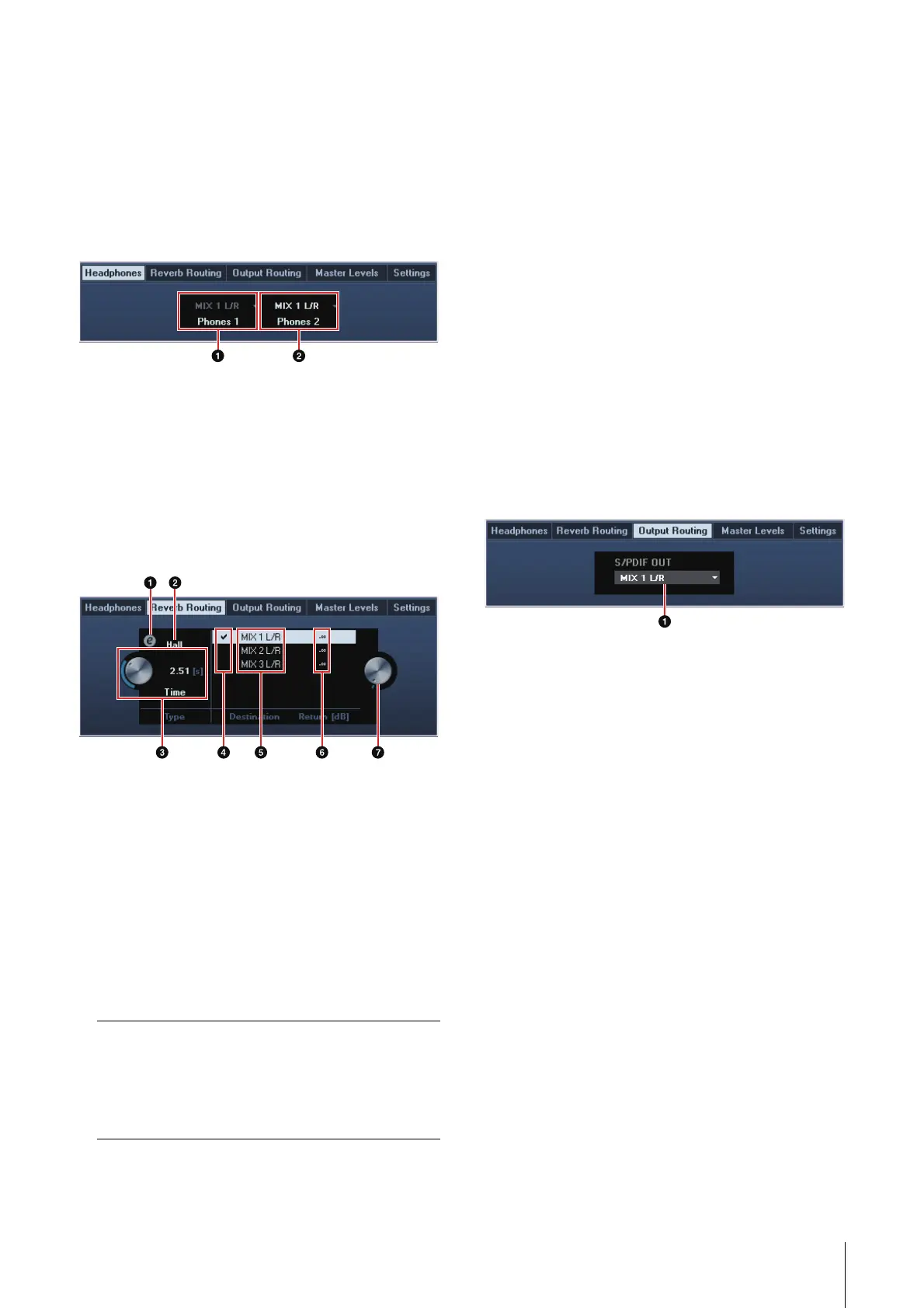
Headphones Window
This is the window for selecting the output signal of
the PHONES on the device. (PHONES 2 only)
1 Phones 1
Indicates the output signal of PHONES 1.
2 Phones 2
Selects the output signal of PHONES 2.
Reverb Routing Window
This is the window for configuring the “REV-X” (page
24) settings.
1 REV-X Edit
Opens the “REV-X” (page 24) setup window.
2 REV-X Type
Selects the REV-X type.
Option: Hall, Room, Plate
3 REV-X Time
Adjusts the reverb time of the REV-X. This
parameter links to Room Size. The adjustable
range varies depending on the REV-X type.
4 REV-X Send Source Select
Selects the send source signal which is sent to
the REV-X. You can select one signal at a time.
The checkmark will be on the selected signal.
5 REV-X Return Signals
Selects the signal for which the return level is
adjusted.
6 REV-X Return Level
Indicates the return level of the REV-X.
7 REV-X Return Level knob
Adjusts the return level of the selected
(highlighted) signal.
Range: -∞ dB – +6.00 dB
Output Routing Window
This is the window for selecting the output signal of
the output jacks on the device.
1 S/PDIF OUT
Selects the output signal of the S/PDIF OUT.
REV-X type Range
Hall 0.103 sec – 31.0 sec
Room 0.152 sec – 45.3 sec
Plate 0.176 sec – 52.0 sec



 To Next Page