Using with a Computer
UR44C Operation Manual 23
Using with a Computer
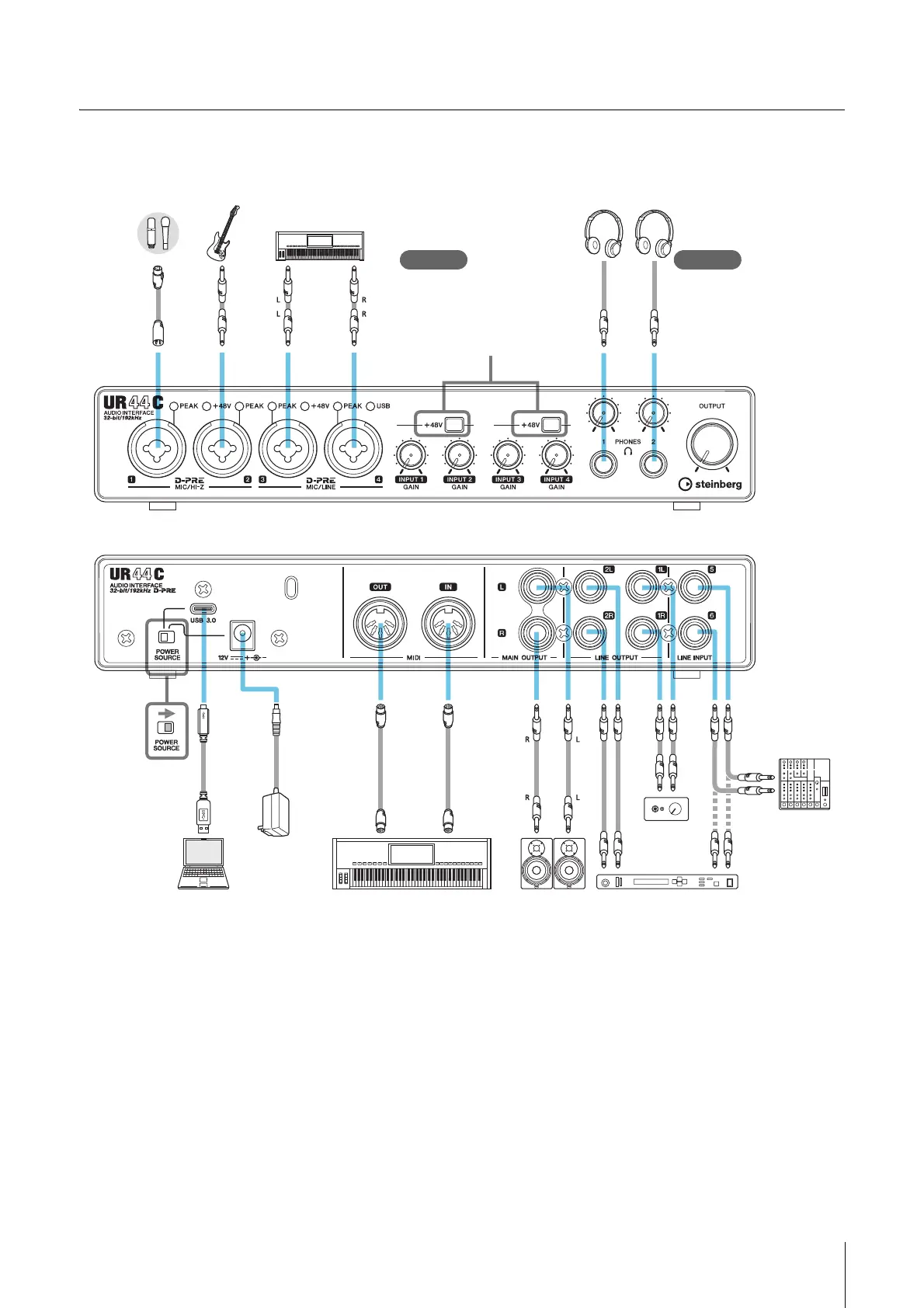
Connection Example
NOTE
• For bus-powered supply, you will need to connect the USB Type-C jack on a computer to the [USB 3.0] jack with a USB3.1 Type-C to
Type-C cable (optional).
• For the connector type of the computer to be connected to the device, refer to “Connector type of a computer” (page 33).
Microphone Guitar Keyboard Headphones
Front panel
Rear panel
When using the condenser
microphone, turn the switch on
after connecting it.
(Turn the switch off before
disconnecting it.)
Check! Check!
Set all volume levels to
minimum before connecting
or disconnecting the
external device.
Computer
AC adaptor
Synthesizer/MIDI keyboard Monitor
speakers
External device
Headphone
amp
Mixer



 To Next Page