32
5.8 Surface camera
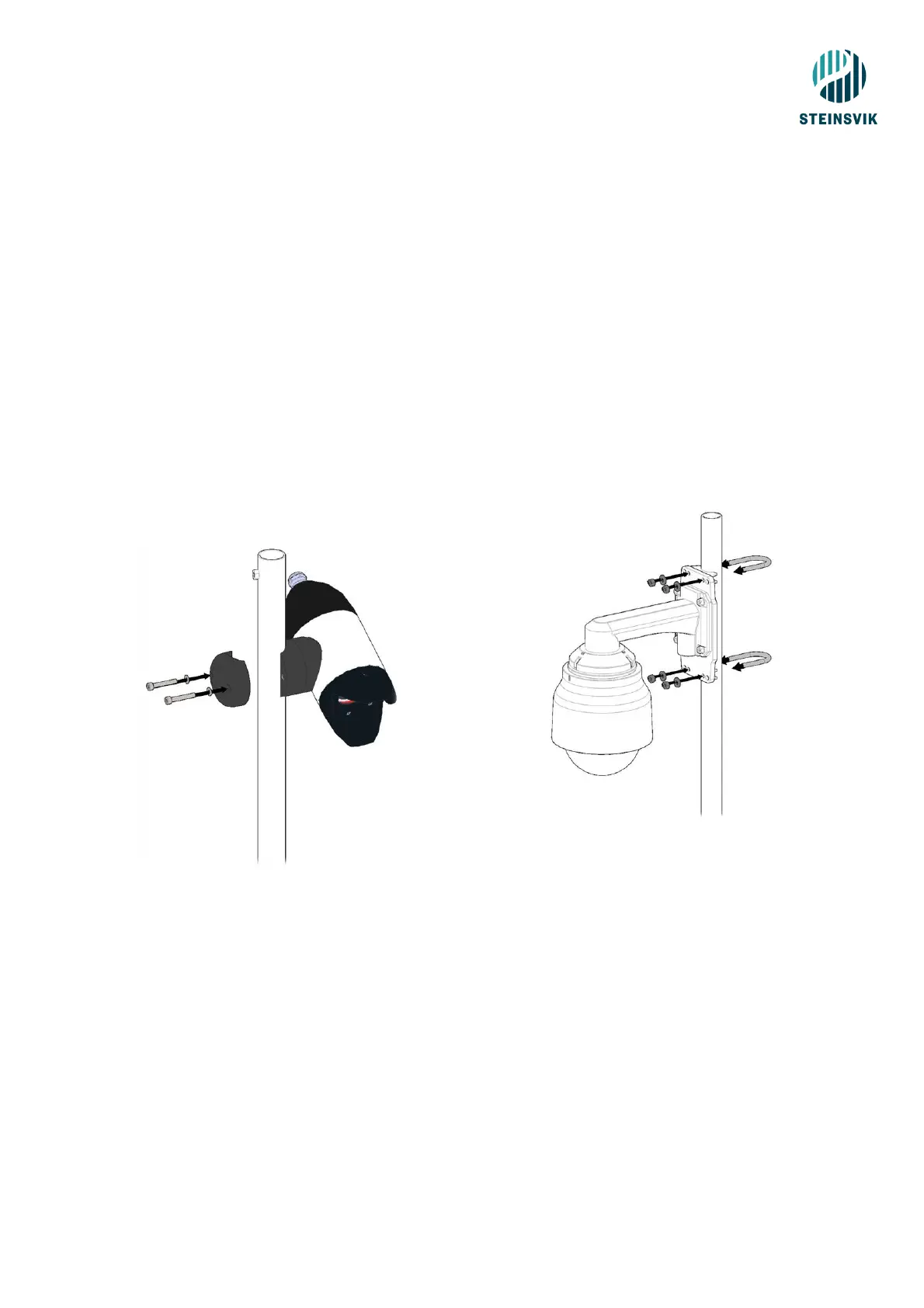
Attach the Orbit-200B/210 to the top of the mast at the cage. Place the camera in the direction you want
to look.
On PSU’s supporting surface cameras: connect the camera cable to the «Multi contact» marked with
a green circle on the PSU.
5.9 Surveillance camera
− Attach the Orbit-310 to the mast at the barge (after attaching the mast to the bracket).
− Use the 40 mm U-bolt, washers and nuts supplied.
− Attention: This camera is not supposed to be mounted at the cage edge!
− Connect the camera cable to the «Multi contact» on the receiver cabinet located at the barge.
The camera cable is equipped with a 7-pin contact and a 15-pin contact. The 7-pin contact
connects to the camera, while the 15-pin contact connects to the receiver cabinet.



 To Next Page