CLRS Series RS485 Closed Loop Stepper Drive User Manual
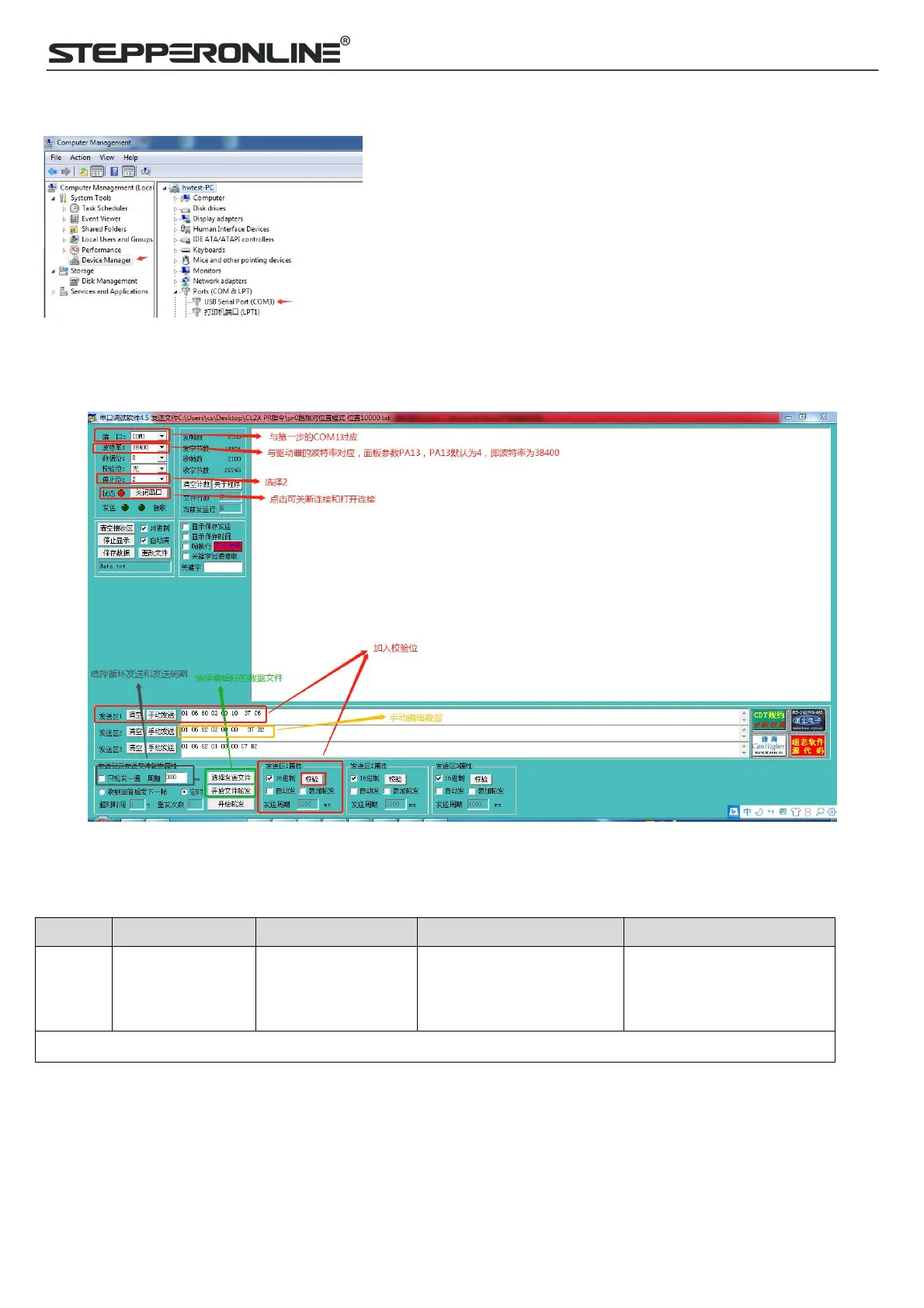
(2) COM port selection, as shown in the figure below, the communication port is COM3:
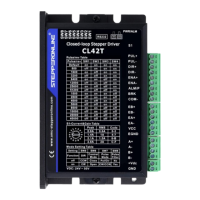
(4) Connect tuning software
Select COM3, select the same baud rate as the drive settings. After clicking connect.
6.2.2 Operation Instruction Format
Data format: Here is an example of setting the PR0 path: (Data is in hexadecimal)
06
(Preset single
register)
62 00
(PR0 operation mode
setting)
00 41
(Set PR mode to relative
position mode)
56 42
(Automatically generated by
the serial port tool software)
A complete command 01 06 62 00 00 41 56 42
6.2.3 Command Cases of Modbus RTU
(1) Set PR0 to go absolute position mode, running distance 200000p (microstep 10000)
Commands:
01 06 62 00 00 00 01 57 B2 Set PR0 mode to absolute position mode



 To Next Page