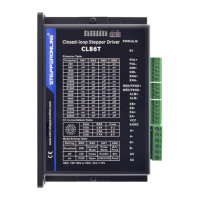
What to do if StepperOnline CL86T PCB board is burned out?
- DDonald WilliamsSep 12, 2025
If your StepperOnline Control Unit PCB board is burned out, restart the power supply. If the alarm persists, contact after-sale support.

What to do if StepperOnline CL86T PCB board is burned out?
If your StepperOnline Control Unit PCB board is burned out, restart the power supply. If the alarm persists, contact after-sale support.
What to do if StepperOnline CL86T Control Unit shows EEPROM error?
If your StepperOnline Control Unit shows an EEPROM error, restart the power supply. If the alarm persists, contact after-sale support.
What to do if StepperOnline CL86T Control Unit fails to auto tuning?
If your StepperOnline Control Unit fails to auto tuning, restart the power supply. If the alarm persists, contact after-sale support.
| Model | CL86T |
|---|---|
| Microstepping | Yes |
| Microstep Resolution | 200-51200 steps/rev |
| Interface | RS232 |
| Input Voltage | 24-80 VDC |
| Control Method | Pulse/Direction |
| Pulse Frequency | 200kHz max |
| Operating Temperature | 0-50°C |
| Storage Temperature | -20°C to +70°C |
| Protection Features | Over-voltage, over-current |
| Humidity | 40%RH-90%RH |
Electrical parameters like current, voltage, frequency, and signal levels.
Operating conditions including temperature, humidity, and vibration limits.
Physical dimensions, weight, and mounting details of the drive.
Recommendations for mounting and cooling to manage drive temperature effectively.
Details on connecting pulse, direction, and enable signals to the drive.
Specifies pins for connecting encoder A, B signals, VCC, and EGND.
Lists connections for motor phase wires A+, A-, B+, B-.
Explains the function of the GREEN (power) and RED (alarm) indicator lights.
Guidelines for sharing a power supply among multiple drives to reduce cost.
How to choose the correct supply voltage considering fluctuations and back EMF.
Configures peak current & motion gain via S1 rotating switch.
Overview of DIP switches for microstep, direction, mode, and brake settings.
Sets microstep resolution using DIP switches SW1 through SW4.
Configures rotation direction, control mode, pulse mode, and brake/pend output.
How to connect differential or single-ended control signals to the drive.
How to connect the alarm output (ALM+/-) to detect faults.
How to connect the brake output to drive a motor brake via a relay.