3-1
Operating Instructions Equipment Manual P093932-203
3.1 Before Operating
Mobile Floor Stand
NOTE: Mobile floor stand may tip over if it is rolled over its connecting
cable or any other object(s) on the floor.
1. Move mobile floor stand to the location of use and secure the two
locking casters.
2. Check power plug and connection cable for damage.
3. Power plug should be inserted into a contact-protected power
socket that has been installed and grounded in accordance with
National Electric Code (NEC) and local codes.
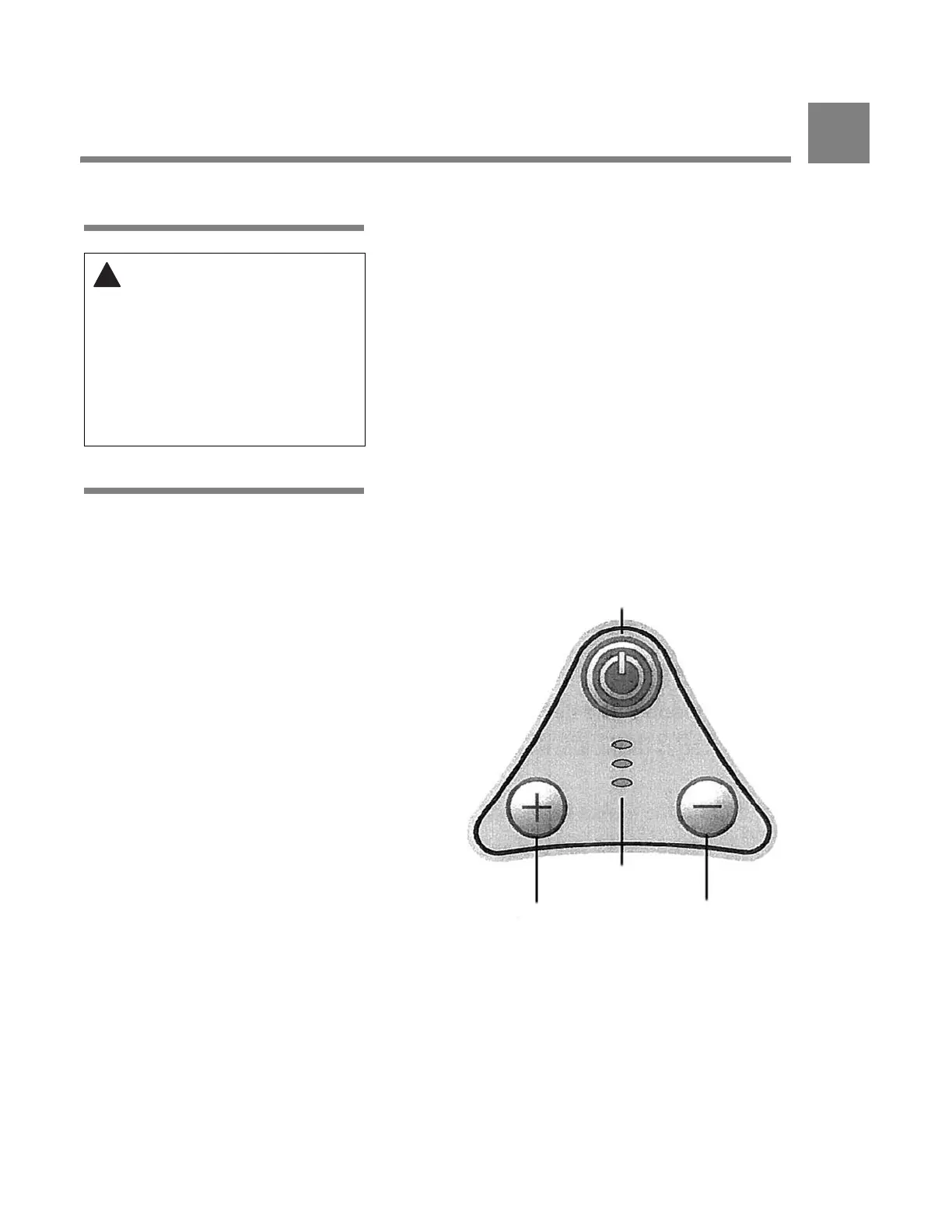
3.2 Control Keyboard The control keyboard located on the lighthead allows the user to turn
the light on and off and to adjust the lighthead intensity (brightness)
by pressing a membrane key (or "button"). See Figure 3-1.
WARNING – ELECTRIC
SHOCK HAZARD: Contact
with damaged electrical
components may result in
electrical shock. In case of any
damage to the power supply
cable or plug, do not connect
the equipment to the power
supply and immediately
inform the service department.
Figure 3-1. Control Keyboard
On/Off
Increase Lighthead
Intensity
Decrease Lighthead
Intensity
Three Green Positioned
Micro-LEDs
OPERATING INSTRUCTIONS
3



 To Next Page