(OPX20/25) (OPX 20/25 PLUS): Using the mobile platform (where
present)
WARNING
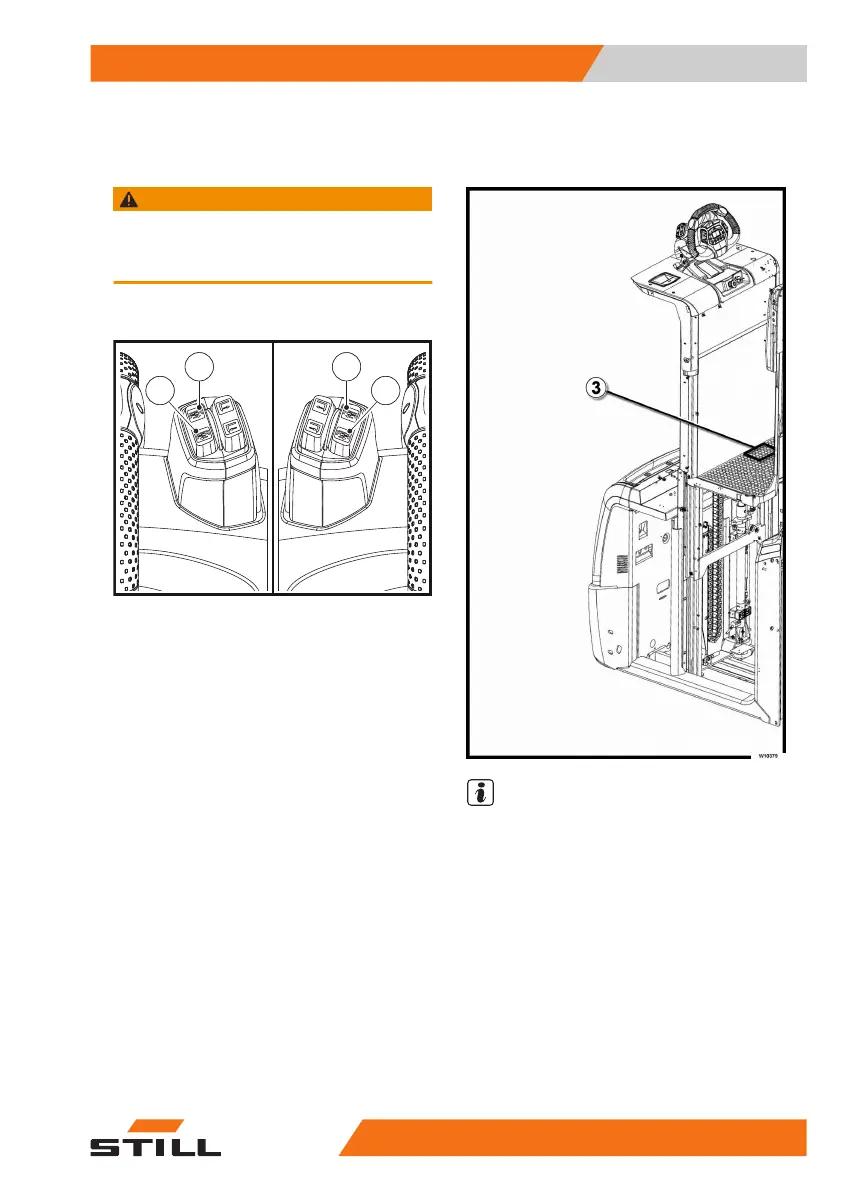
The buttons in the illustration may have different po-
sitions depending on the version. Pay attention to the
symbol on the button itself.
Description
W10380
1
2
1
2
NOTE
●
The following controls are active with the
truck switched on and with the operator
standing on board the truck in the correct
working position
●
The speed of the platform is proportional to
how hard the button is pressed
Raising the mobile platform
●
When the button (1) is pressed, the mobile
platform rises to the maximum height
●
Movement of the mobile platform can be
stopped at any time by releasing the button
(1) The mobile platform stops at the position
reached
Use
4
Mobile platform
14545878043344 EN - 11/2021 - 12



 To Next Page