16
StingerElectronics.com
®
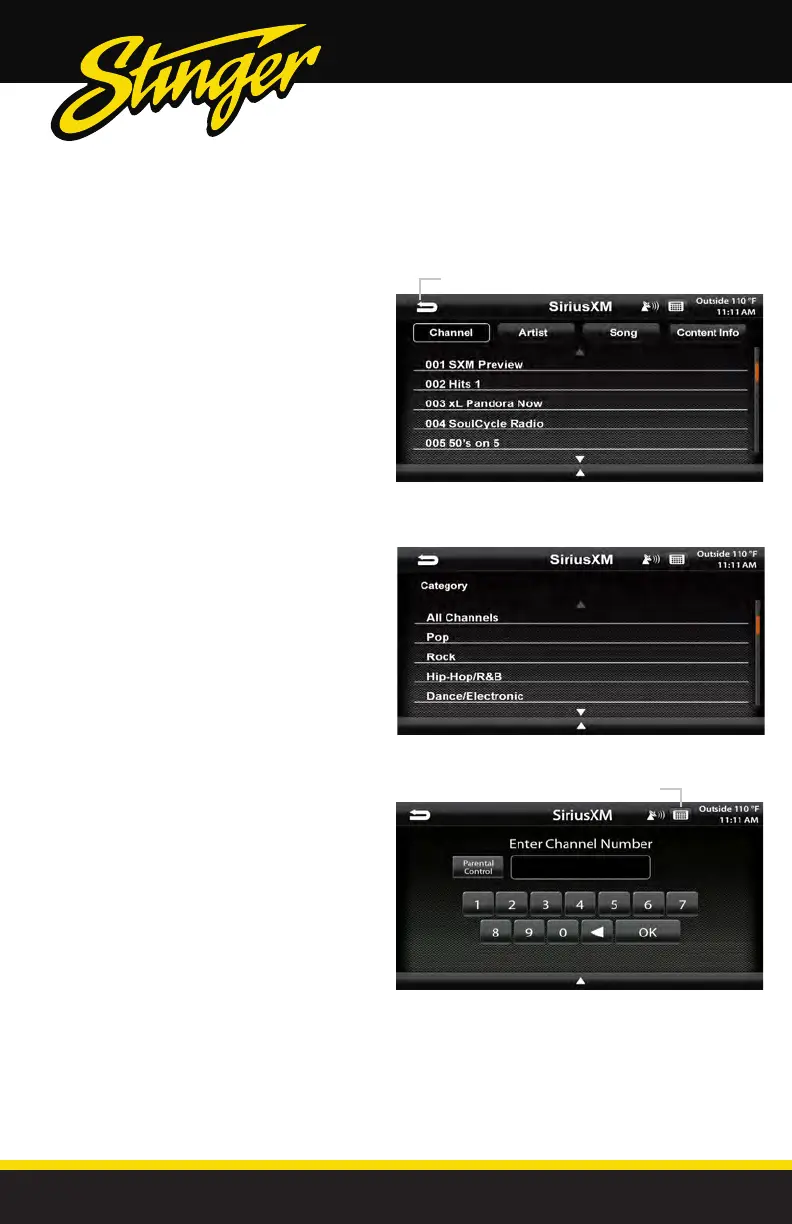
Channels [CH]
Displays a list of availble SiriusXM
channels in numerical order. Swipe
up/down to navigate, touch to select
desired channel. Selecting Content Info,
Artist or Song buttons will toggle the
information displayed.
Categories [CAT]
Displays a list of channel categories.
When a category is selected, a list of
matching channels will display. Selecting
All Channels will display all channels in
numerical order.
SiriusXM
Satelite Radio
Direct Tuning
Selecting the Keypad Icon on the
Information Bar will launch a numeric
keypad for direct channel number entry.
(See Page 18 for Parental Control function)
Keyboard
Return to SiriusXM main screen



 To Next Page