How to connect the demonstration board with the GUI UM0718
14/31 Doc ID 15846 Rev 1
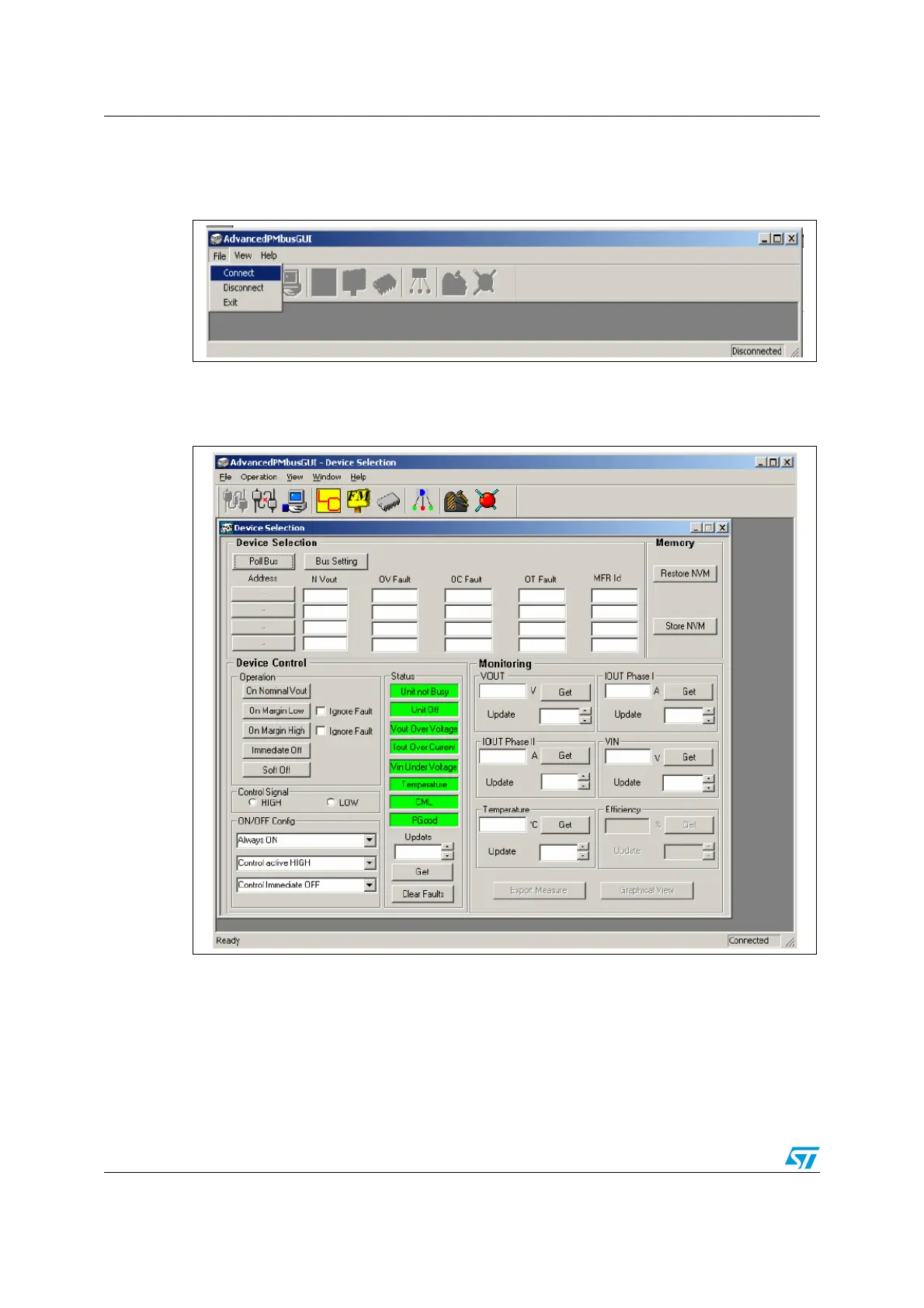
● Step 2: Click on the File -> Connect option or click on the “Open Connection” button on
the tool bar
Figure 11. Connecting the board
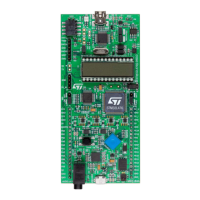
If the demonstration board is connected to the PC GUI, it shows 'Connected' in the status
bar (on the bottom right-hand of the GUI screen) and the device selection window appears.
Figure 12. GUI connected to board
If there is any problem in the connection, the status bar shows 'Not connected' and the
following error message appears (Figure 13).



 To Next Page