How to connect the demonstration board with the GUI UM0718
16/31 Doc ID 15846 Rev 1
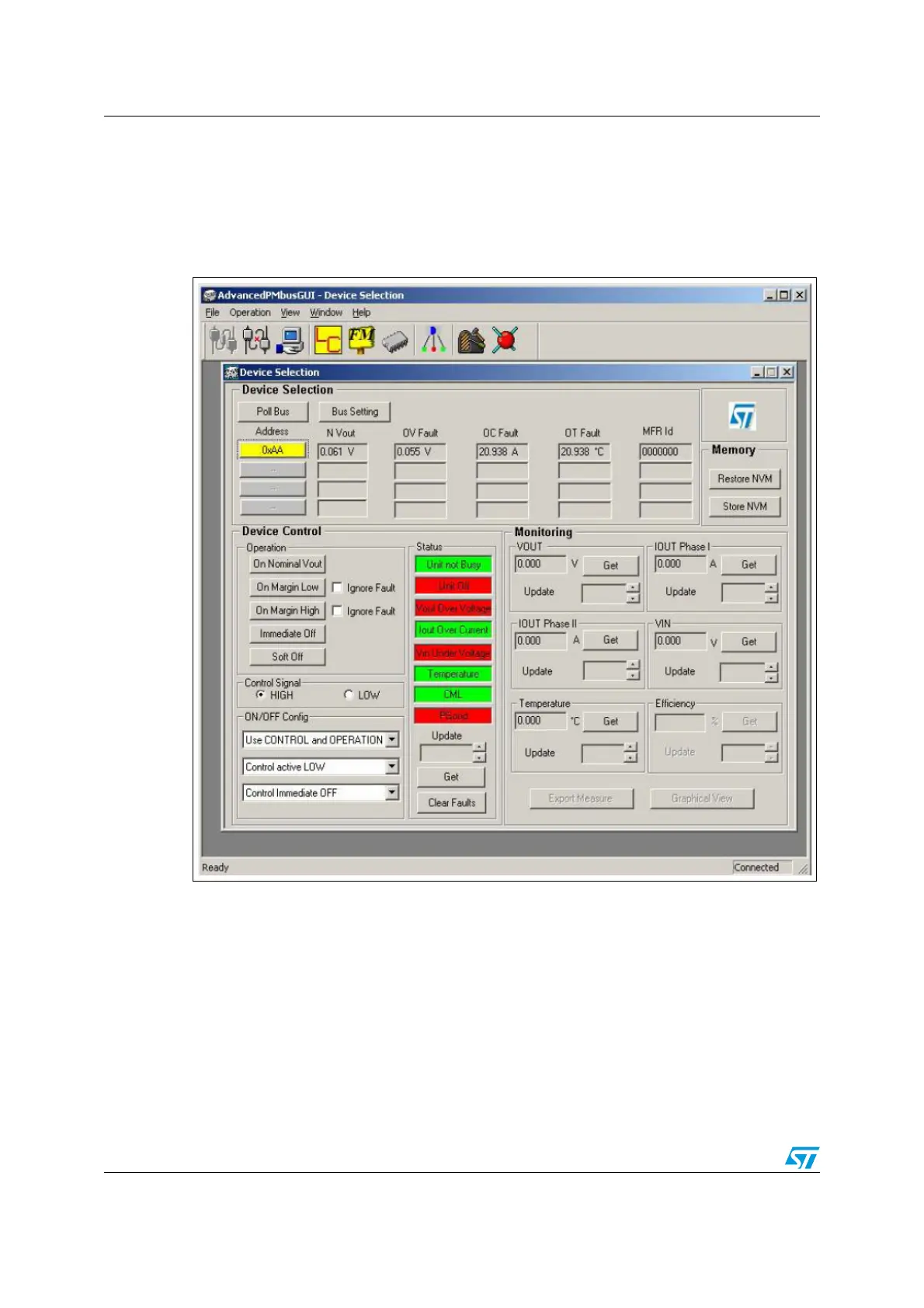
As soon as the polling procedure completes, a slave must be selected, as shown in
Figure 15. The selected slave is highlighted in the device selection window and the
parameters corresponding to the selected slave are read from the slave device.
2.2.2 Enabling the slave
Figure 15. Selection of connected slave
If the user clicks on the parameters without selecting the slave, an error message appears
on the screen and it may cause undesired behavior.
Note: 1 Ensure that there is no faulty slave connected. If a faulty slave is selected through the GUI, it
may cause damage.
2 After polling, the connected slaves appear below the address block. Then, select the slave
address and start PMBus operation. Otherwise the GUI displays an error message.



 To Next Page