Advanced PMBus GUI description UM0718
22/31 Doc ID 15846 Rev 1
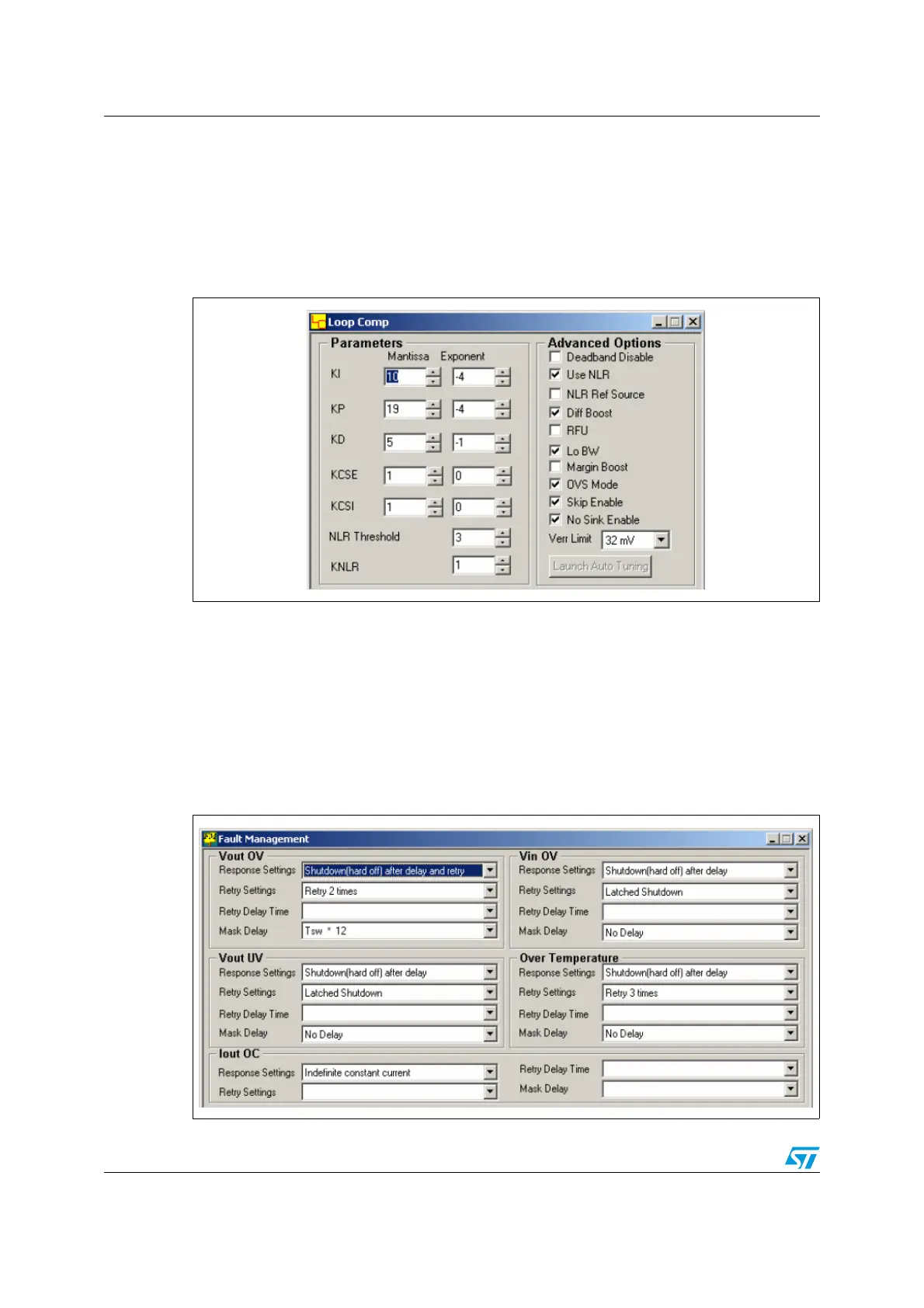
3.3 Loop comp. window
The loop comp. window can be opened by either clicking on the loop comp. icon or by
following Operation-> Loop Comp. Window.
At the time of opening the window all the parameters are read from the device and they can
then be modified by increasing/decreasing or by checking/un-checking the boxes.
Figure 23. Loop comp. window
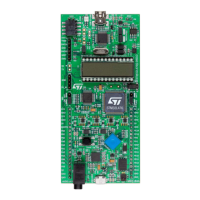
3.4 Fault management window
The fault management window can be opened by either clicking on the fault management
window icon or by following Operation->Fault Management Window.
As soon as the fault management window is opened, the parameters are read from the
PMBus slave and updated in the corresponding fields. These parameters can then be
configured by the user.
Figure 24. Fault management window



 To Next Page