EasyManua.ls Logo

Stoneridge OPTIMO 2 - 7. Optimo² - MKIII Programmer - Main screens

Stoneridge OPTIMO 2
55 pages
Print Icon
To Next Page IconTo Next Page
To Previous Page IconTo Previous Page
Loading...
10
7. Optimo² MKIII Programmer Main screens
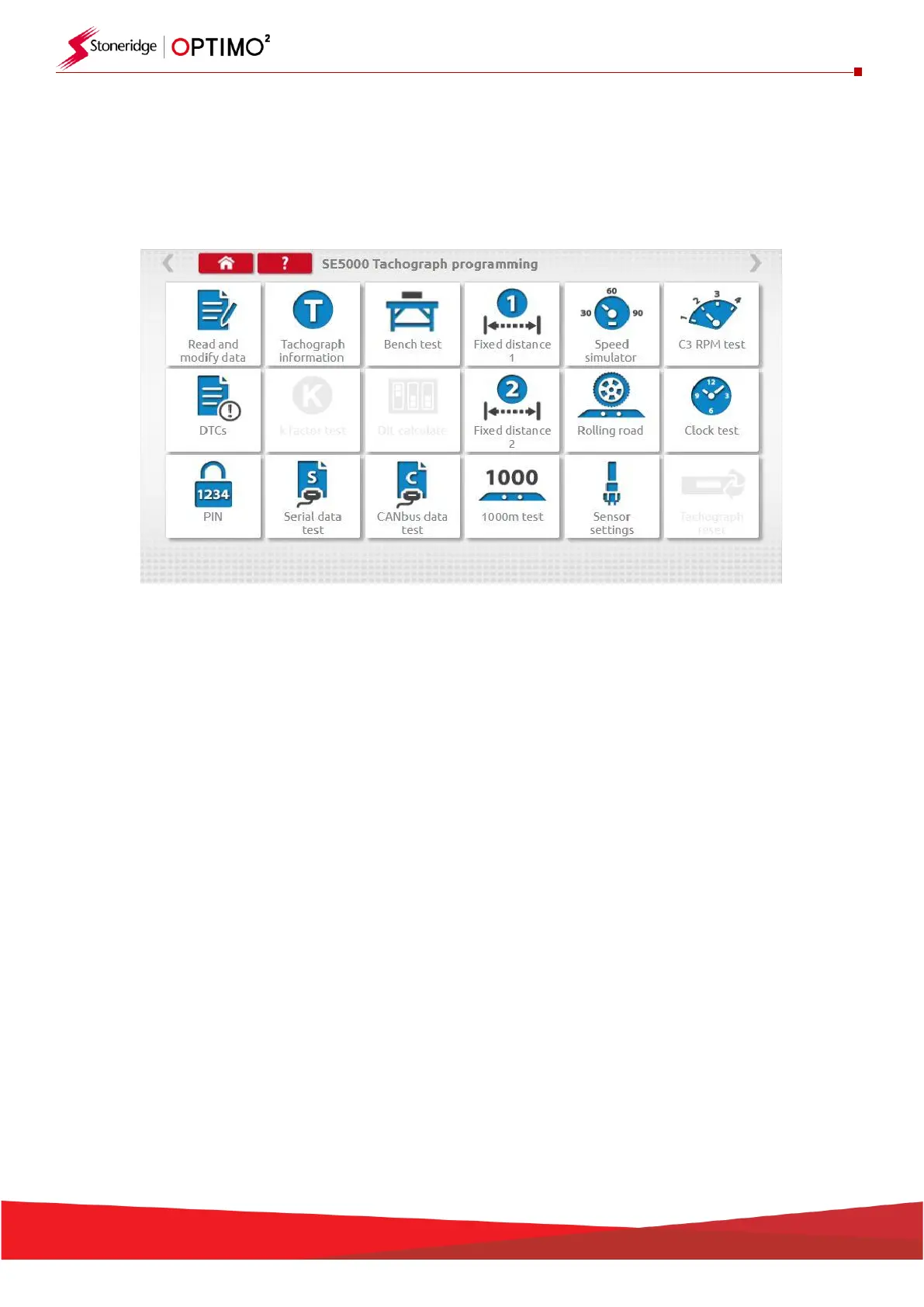
When a tachograph is detected or selected, the screen below is displayed.
On these screens highlighted icons can be selected, those dimmed out cannot.
The following sub-chapters briefly explain the function for each icon selection.
Read and modify data
Chapter 7.1
Tachograph information
Chapter 7.2
Bench test
Chapter 7.3
Fixed distance 1
Chapter 7.4
Speed simulator
Chapter 7.5
C3 RPM test
Chapter 7.6
DTCs
Chapter 7.7
K factor test
Chapter 7.8
DIL calculate
Chapter 7.9
Fixed distance 2
Chapter 7.10
Rolling road
Chapter 7.11
Clock test
Chapter 7.12
PIN
Chapter 7.13
Serial data test
Chapter 7.14
CANbus data test
Chapter 7.15
1000m test
Chapter 7.16
Sensor settings
Chapter 7.17
Tachograph reset
Chapter 7.18