35
9.2. SE5000CS – User Configurations
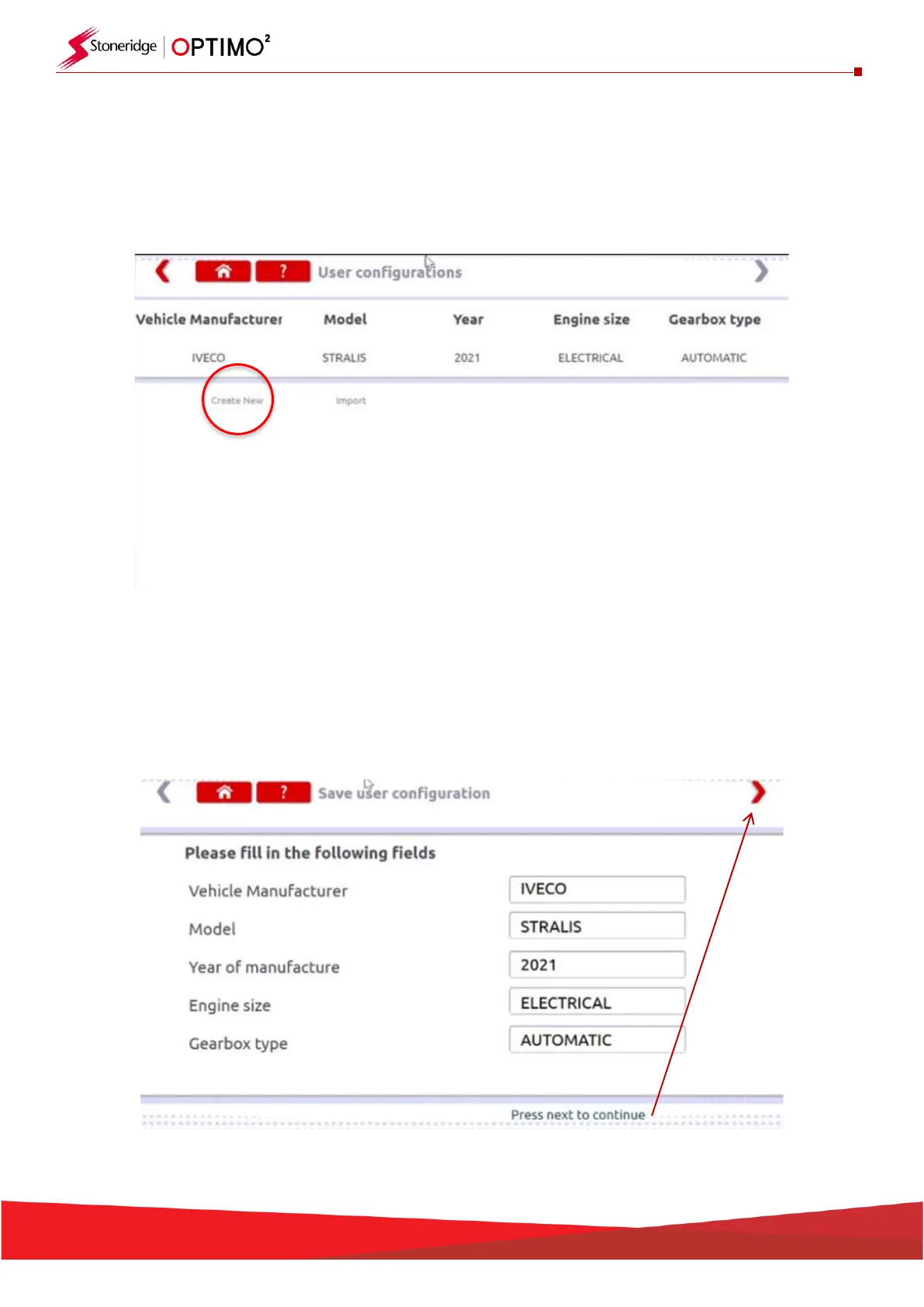
▪ On selecting User Configurations, the screen below is shown. Existing stored configurations are
shown alongside the options for Creating a new configuration or importing a configuration from a
memory stick connected to Optimo
▪ Note: To create a new configuration, the tachograph must be activated
▪ Select ‘Create New’ and the current configuration of the tachograph connected will be read
▪ Once read, you can name the configuration. All fields must be completed
▪ Press next to store the new configuration and it will be available in the User configuration list
▪ Where possible, all parameters of the SE5000 used to create the new user configuration will be
stored


 To Next Page