36
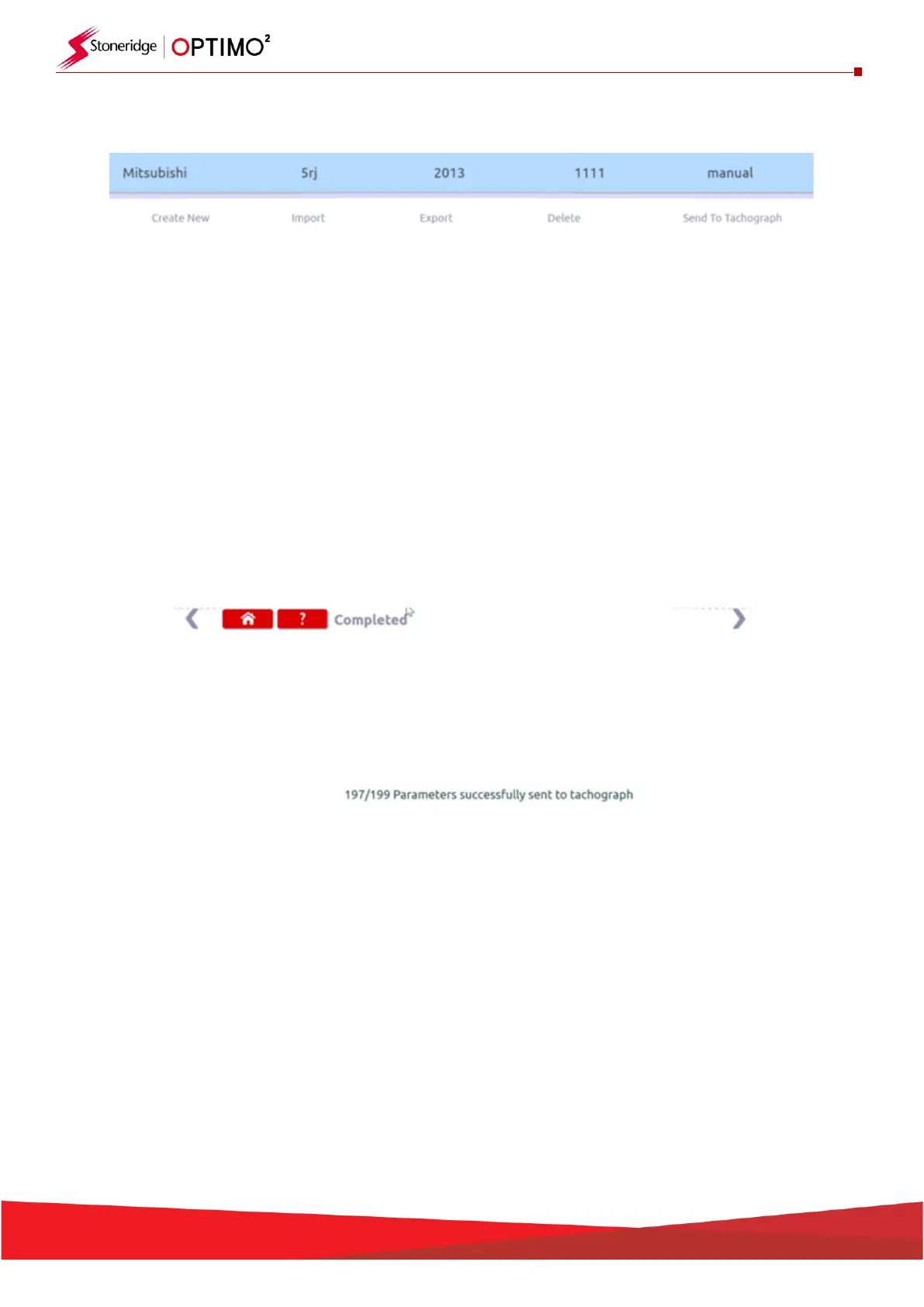
▪ When you select a user generated configuration file, several choices are available as shown below
▪ Import – this allows the Optimo user save shared configurations from another Optimo user to their
Optimo for future use.
▪ Export – this allows the Optimo user to save a copy of a configuration file they have created to a
USB stick so that this can be shared with other Optimo users.
▪ Delete – this allows the Optimo user to remove a stored user configuration file from their Optimo
▪ Send To Tachograph – this allows the Optimo user to write the selected configuration file to the
Se5000. When the parameters are written to the tachograph. If a parameter cannot be written to
the specific version of SE5000 you are connected to then Optimo will ignore this and continue. The
number of successfully written parameters is shown when the process is completed. The SE5000
does not need to be activated


 To Next Page