6
6. Getting Started
▪ How to set up your Optimo².
6.1. Task Bar Icons
6.1.1. Workshop Settings
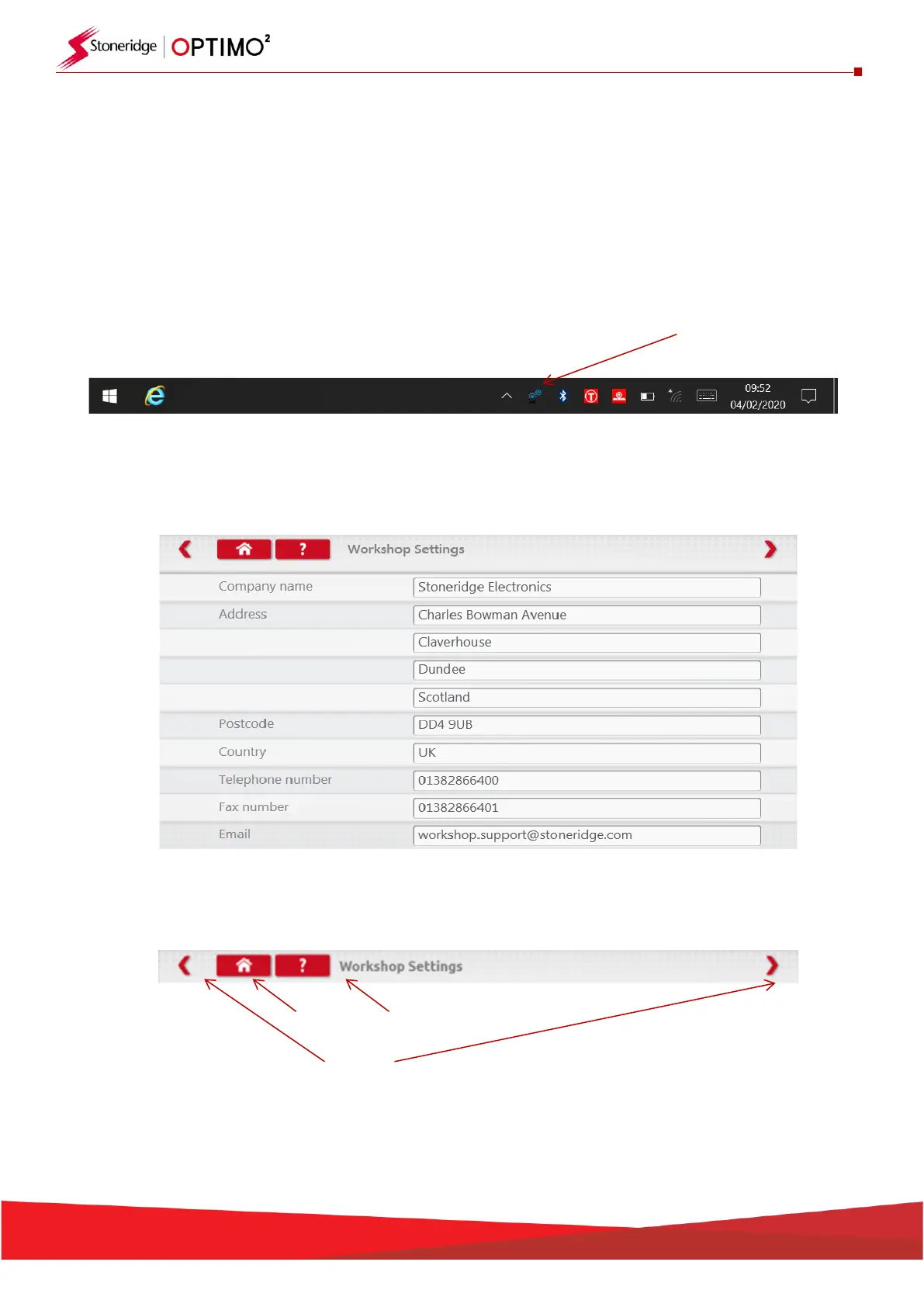
▪ On first power up of Optimo² several details must be entered into the Workshop Settings screens.
▪ Workshop Settings screens can also be accessed at any time by tapping here.
▪ After selecting your Language and Country, enter your workshop details.
▪ Please complete all fields.
▪ Other screens are accessed by tapping the Arrows at the top of the page if highlighted.
Home Button Question Mark
Arrows
▪ The ‘Home’ button, single tap, returns to that application’s main screen. A double tap closes the
application and returns to the Windows desktop.


 To Next Page