11
7.1. Read and modify data
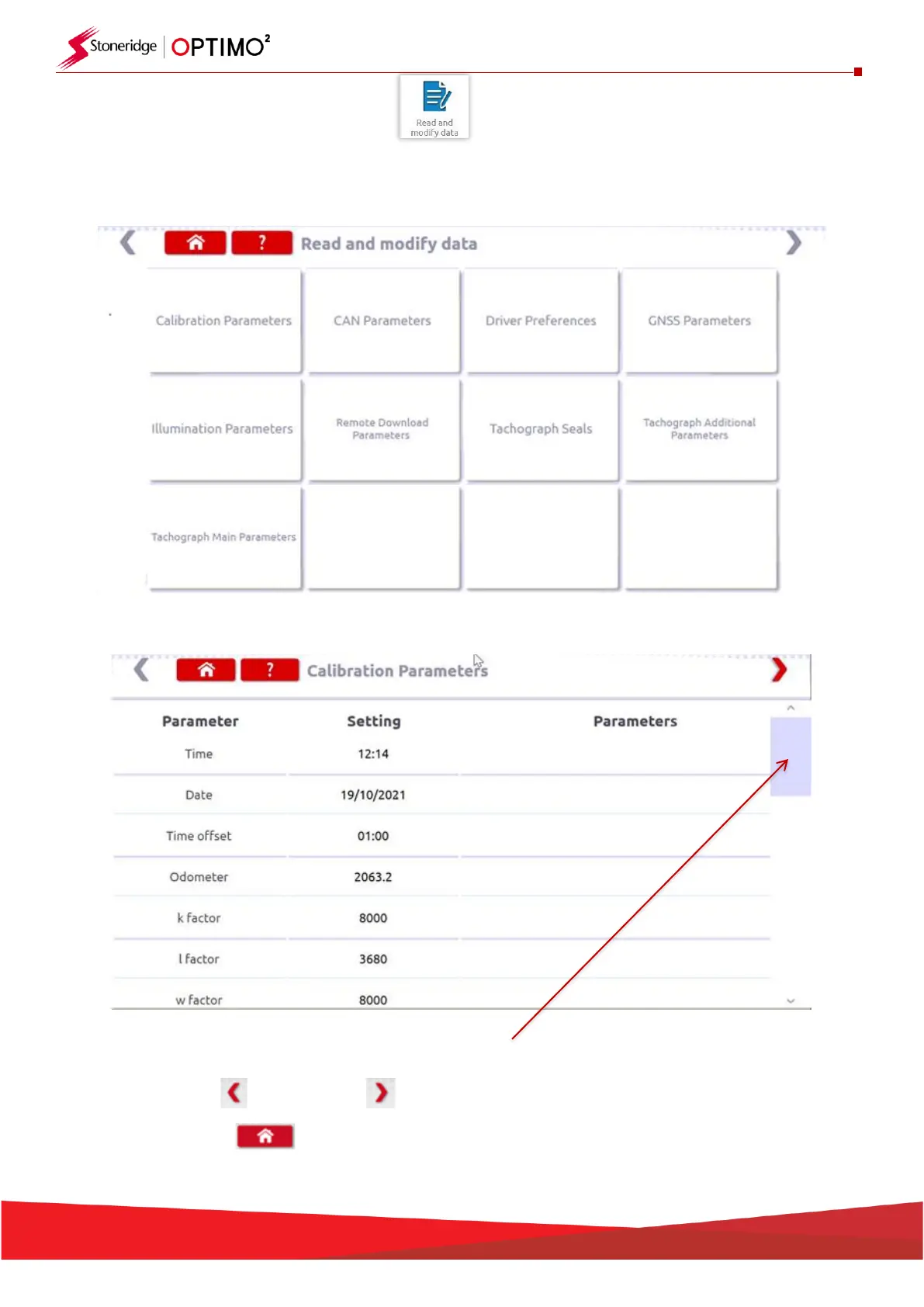
▪ Select the icon on the tachograph programming screen and this will open the Tiles Menu below
▪ Select the Tile you need for specific parameters.
▪ Note: A 2 yearly inspection only requires the Calibration Parameters tile
▪ Use the scroll bar to view all parameters in the tile
▪
▪ Using the left or right arrows moves forwards or backwards through the tiles
▪ Press home to return to the Tiles menu


 To Next Page