12
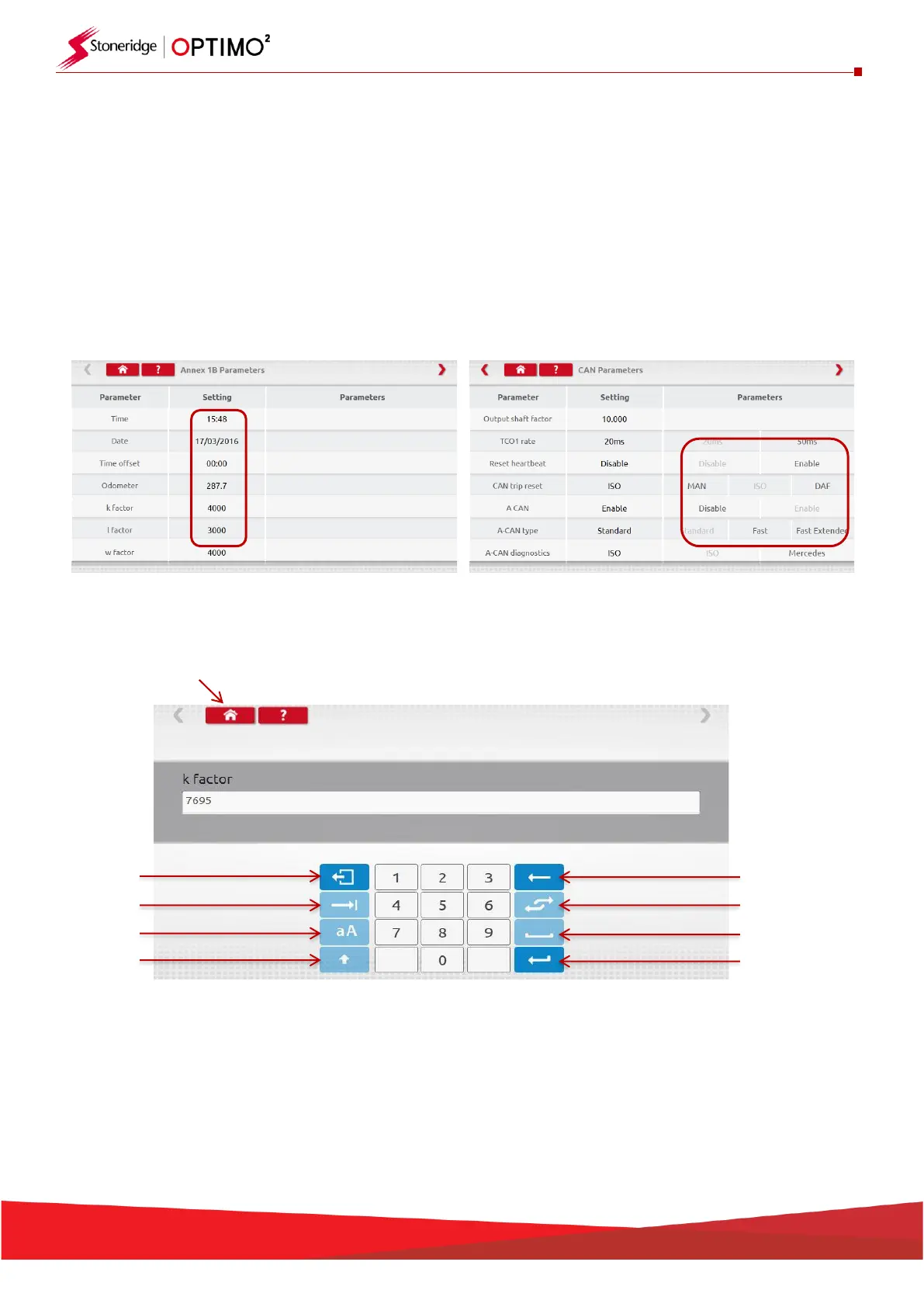
▪ Parameters are changed by tapping the value in the “Setting” column and then a new screen is
displayed along with the necessary keyboard, or for some parameters by selecting an appropriate
option from the list available in the Parameters column.
Note 1: In all cases, once settings have been altered, tapping the enter key immediately sends
that information to the tachograph. More screens are accessed by using the highlighted arrows
at the top of the page.
Note 2: For some tachographs, such as the Actia, once a setting has altered it will change colour
to show the setting has been changed but it will not send to the tachograph until you tap the
Home button at the top of the page, whereupon it sends all the data.
▪ To change a value, touch the setting on the screen. Use Backspace to remove characters, enter
new value, then tap the Enter key to update the tachograph.
▪ Tap the Home button to return to main programming screen.


 To Next Page