8
6.1.2. Connecting to Wi-Fi
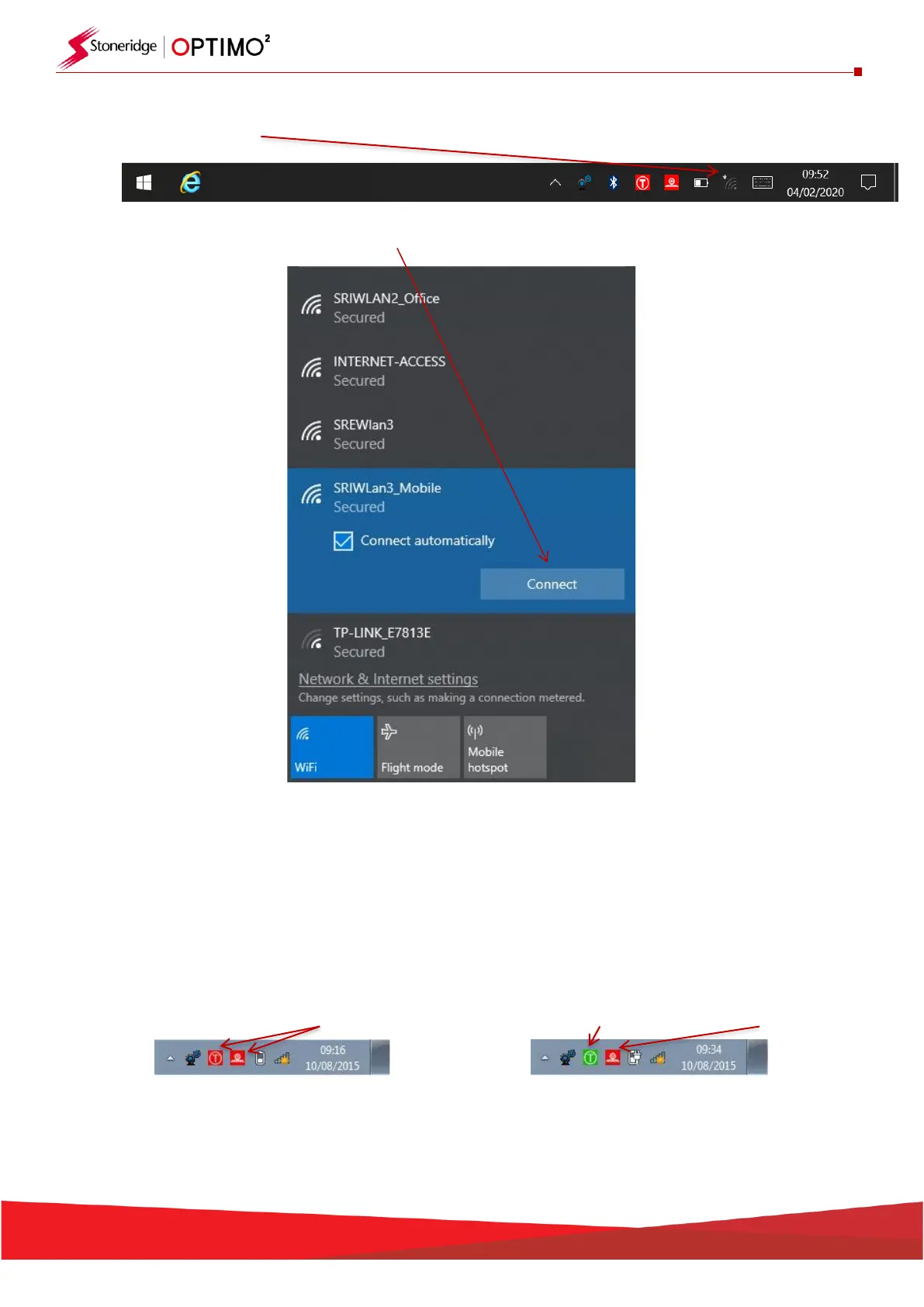
▪ Tap the Wi-Fi icon.
▪ Select the network and tap “Connect” button.
▪ Follow the instructions as requested.
6.1.3. Wireless Connections
▪ There are two wireless indicators in the taskbar, one for connection to the tachograph and one
for connection to a Rolling Road. Both are red when disconnected and turn green when
connected.


 To Next Page