7
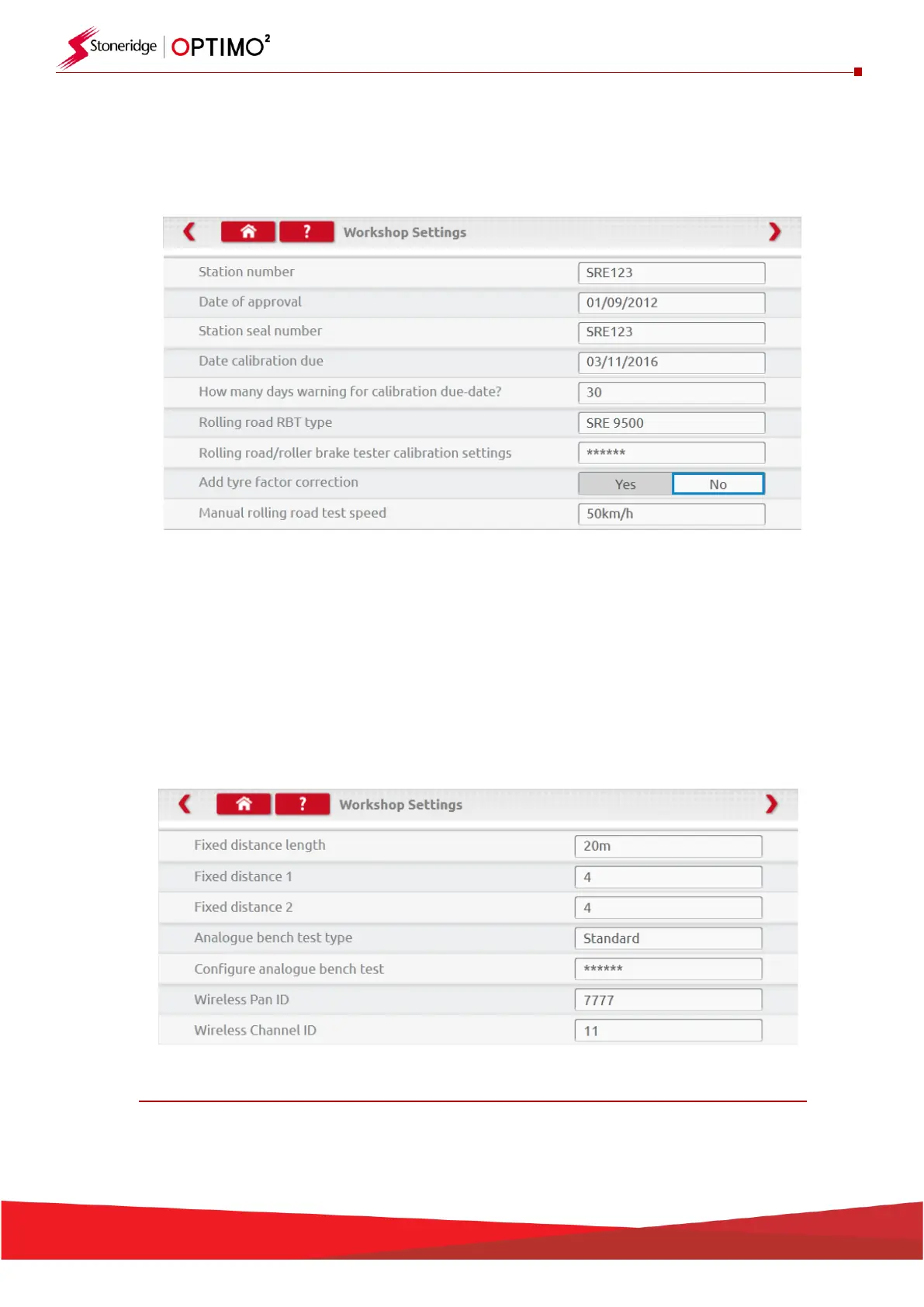
▪ This screen displays various details about your workshop and enables selection and settings for
Rolling Roads and Roller Brake Testers.
▪ Please complete all fields.
▪ The next screen sets Fixed distance length and number of runs, plus options for “Standard” or
“Custom” bench tests. For Custom Bench test see Chapter 8.
▪ For Pan ID and Channel ID, please refer to your dongle label.
▪ Please note that you cannot run two Optimo² with the same ID’s in the workshop.
▪ For multiple installation of Optimo² please contact Workshop Support
DETAILS ON ALL THESE SCREENS MUST BE COMPLETED BEFORE FIRST USE OF OPTIMO²


 To Next Page