43
14. Product Upgrade
▪ Product upgrades for Optimo²
may be sent to you as a link to download or as a file for you to load
onto a USB stick.
▪ Connect the USB stick with the upgrade files to a USB socket on Optimo². When Optimo² recognises
the USB stick it may open a pop-up window; close this window.
▪ Given that there are different files depending on whether you have a Dell or Linx based Optimo² it
is essential you verify on the upgrade screen that you are replacing a .2xxx file with a .2xxx or a
.3xxx with a .3xxx file
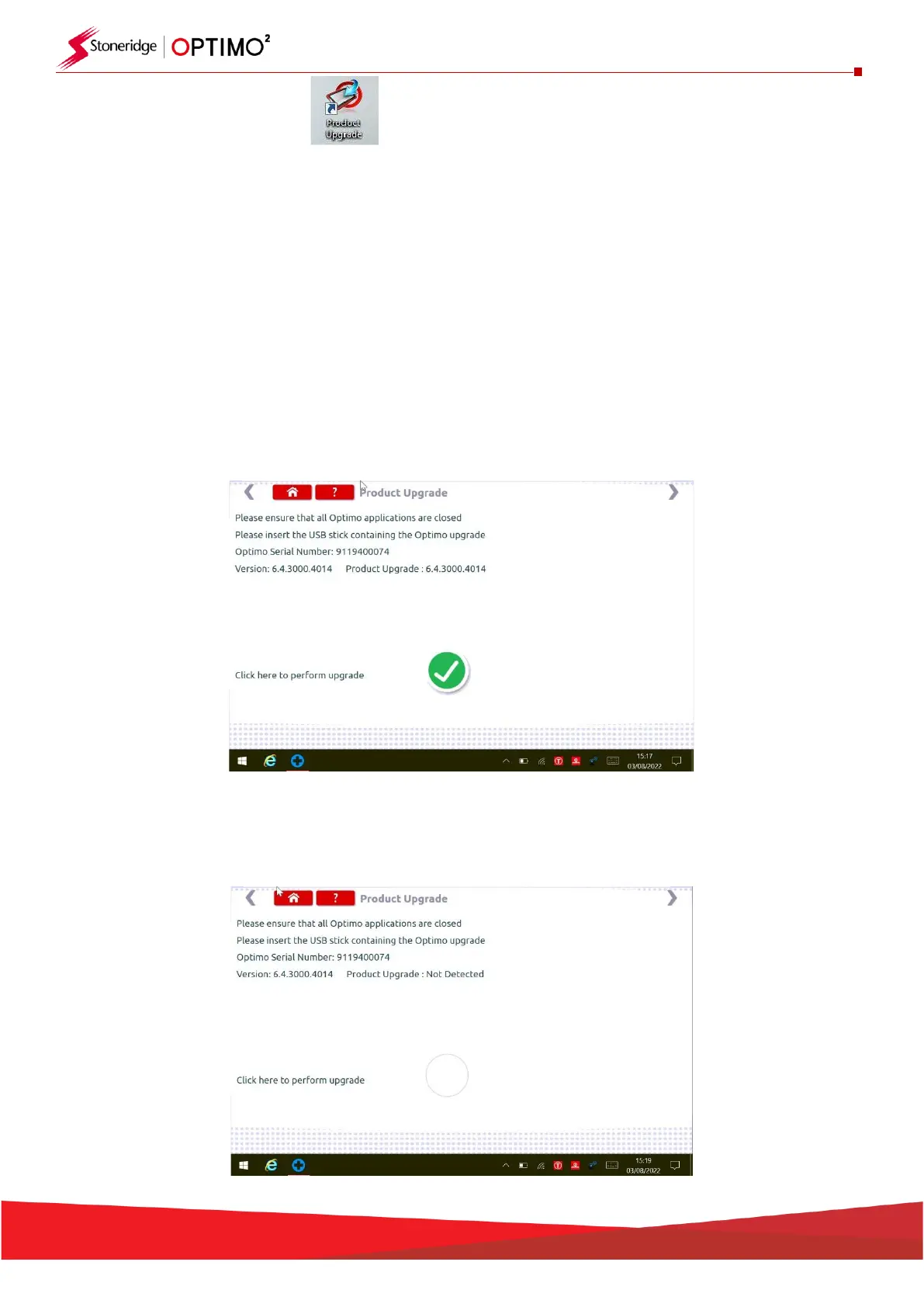
▪ Tap the Product Upgrade icon and both current version and new version are displayed.
.
▪ Tap the “upgrade” button and follow the prompts.
▪ “Error” is displayed if Optimo² does not recognise the USB device, if no device present, or if the
wrong update is present. If this occurs, check the USB device is inserted correctly and the correct
upgrade present.


 To Next Page