44
15. Wireless Photocell Test
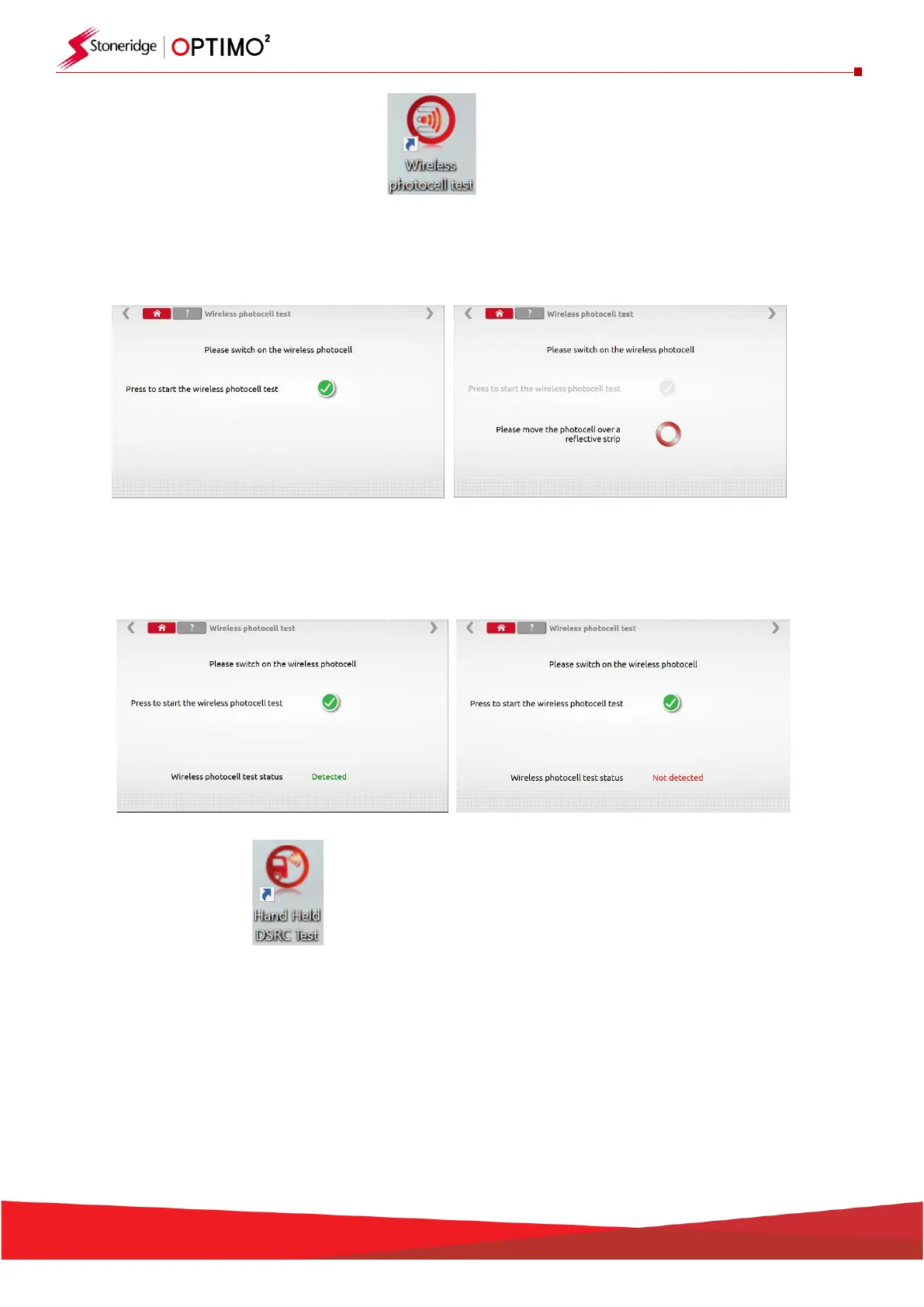
▪ This application ensures that there is communication between the Wireless Photocell and Optimo².
▪ Tap the icon to open the program, the screen below is presented. Follow the instructions given.
▪ Pass the photocell over the tape once every 5 seconds, screen below should be achieved. If the
failure screen is received, check that the photocell is fully charge, the LED illuminates when the
product passes the tape and the Pan and Channel ID’s match. If so, switch off the photocell, leave
for 10 seconds, switch back on and repeat the test.
16. DSRC Test
▪ There is separate manual on Optimo² for the DSRC tester, please refer to this for full guidelines in
the use of this application.


 To Next Page