38
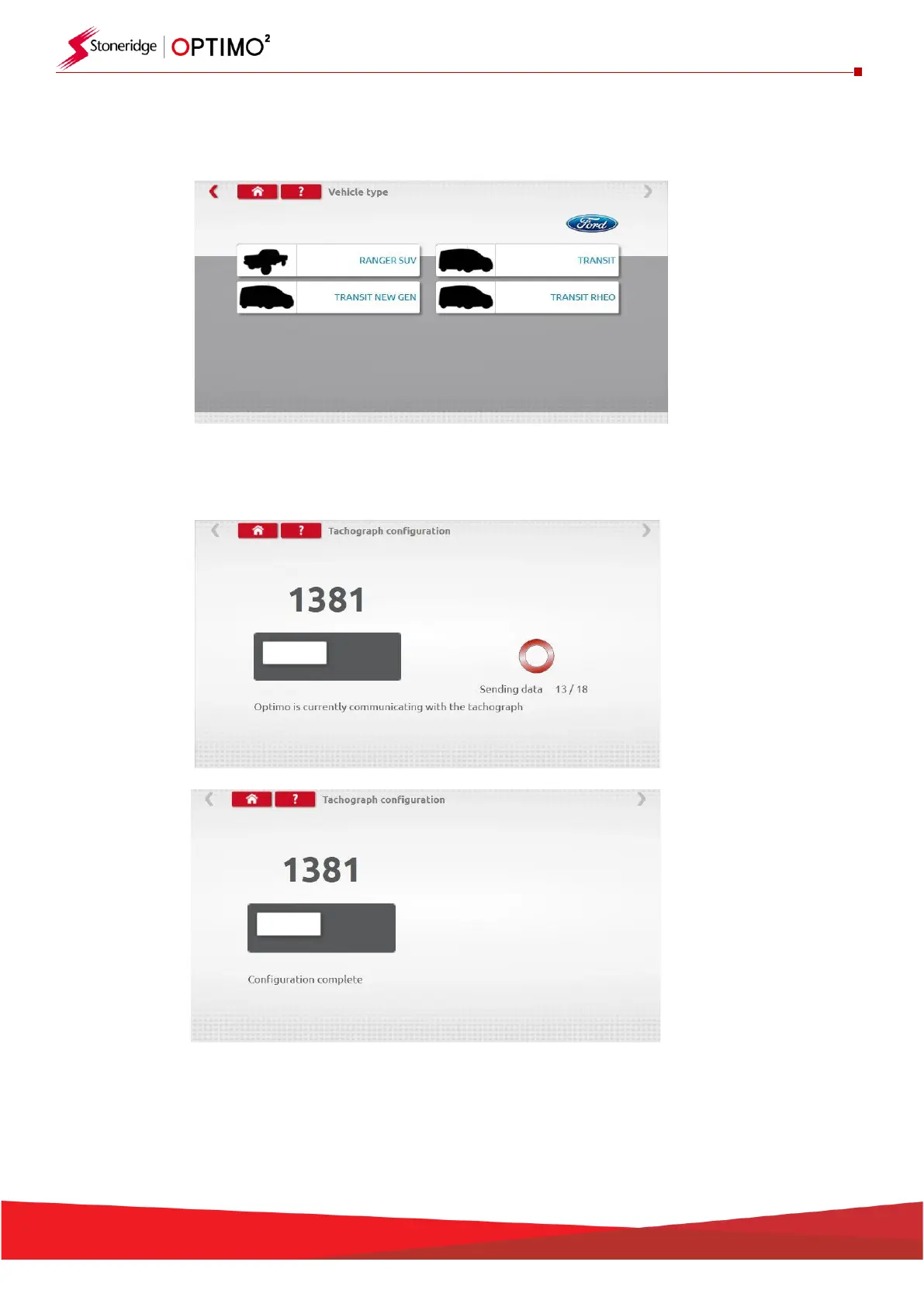
▪ To configure to another vehicle type, tap appropriate Manufacturer’s icon and a list of associated
vehicle types is displayed. Select the 1381 Universal Model and then select your target vehicle type.
▪ Tap the icon for correct vehicle type, and a screen shows Optimo² communicating with the
tachograph. After a short time, the result is displayed.
▪ Note: Should the incorrect configuration of the 1381 be entered, the default VDO configuration
must be reloaded, prior to re-configuring the 1381 correctly.
▪ Note: From 2022, new VDO 4.0, or higher part numbers are not verified by this application. The
user must select the correct configuration from a larger number of choices and we recommend you
follow the VDO guidelines for choosing the correct Universal VDO tachograph and configuration.


 To Next Page