Stonex R180 – User Manual 20
b. Screen Illumination
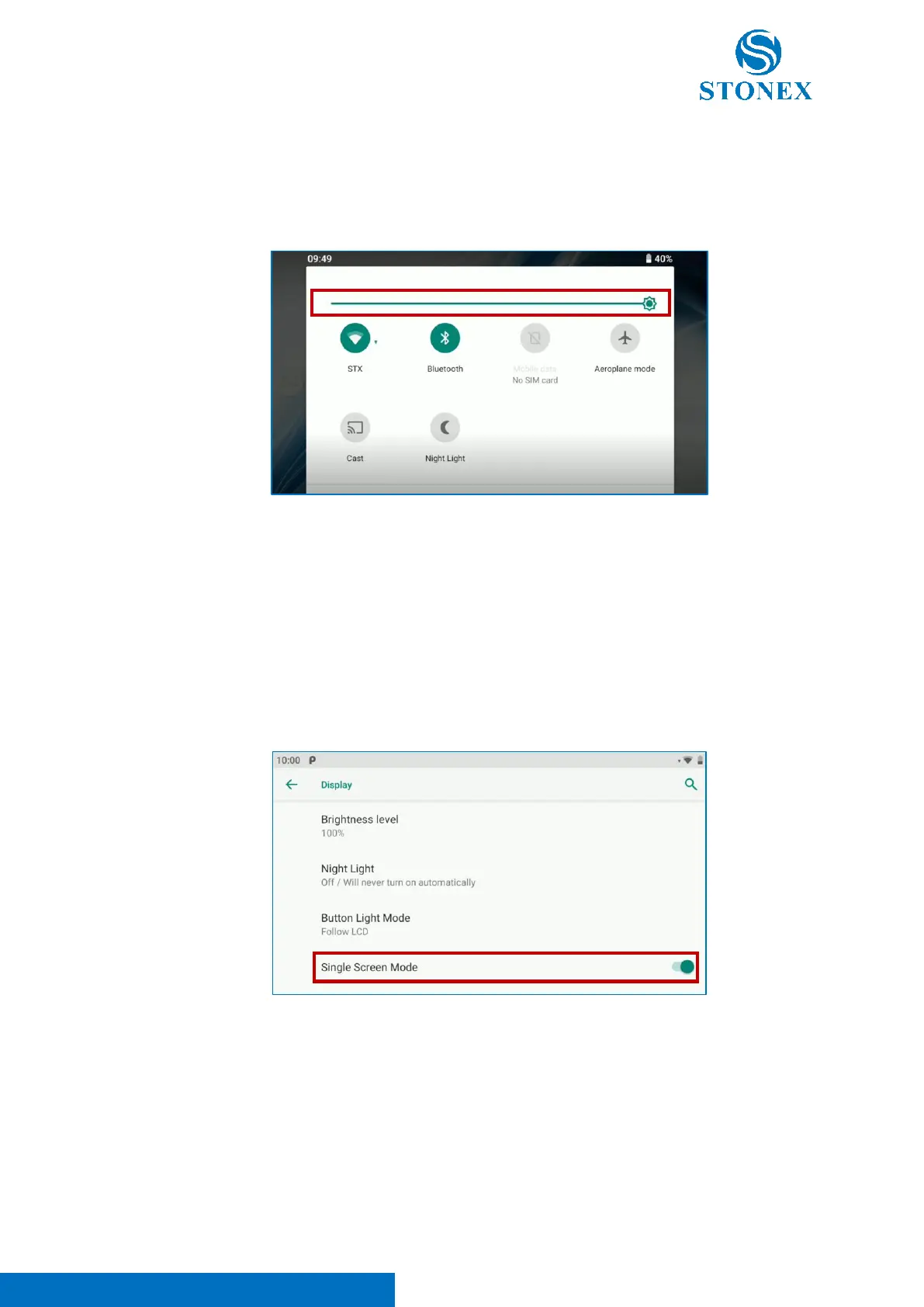
Scroll down the quick Android menu as visible in the image below. Use the screen illumination
adjustment bar to modify screen illumination and adapt the tablet to different light condition.
It’s also possible to access to display settings from Settings -> Display -> Brightness Level to
modify screen illumination.
c. Single Screen Mode
Enter in Settings -> Display to enable/disable single screen mode. In this way, it’s possible to
using one screen, reducing battery consumption. The active screen will be the one touched by
the user.



 To Next Page