Stonex R180 – User Manual 19
4. Android Operative System
R180 is first Stonex robotic total station characterized by Android operative system on board. Using
Android on a total station provides a lot of advantages improving instrument functionality, simplicity
and usability from different points of view. The operative system is in fact the same one installed on a
Smartphone with the applications and the functions typical of a classical Android device. The user will
work using a familiar and already known interface, increasing its efficiency and decreasing working time.
4.1. Android Useful Options
Android Operative System offers many functions, useful to adapt the instrument to user needs and to
the different environment conditions typical of on-field works.
Here below the description of some useful functions, included in Android Operative System:
a. Change Device Language
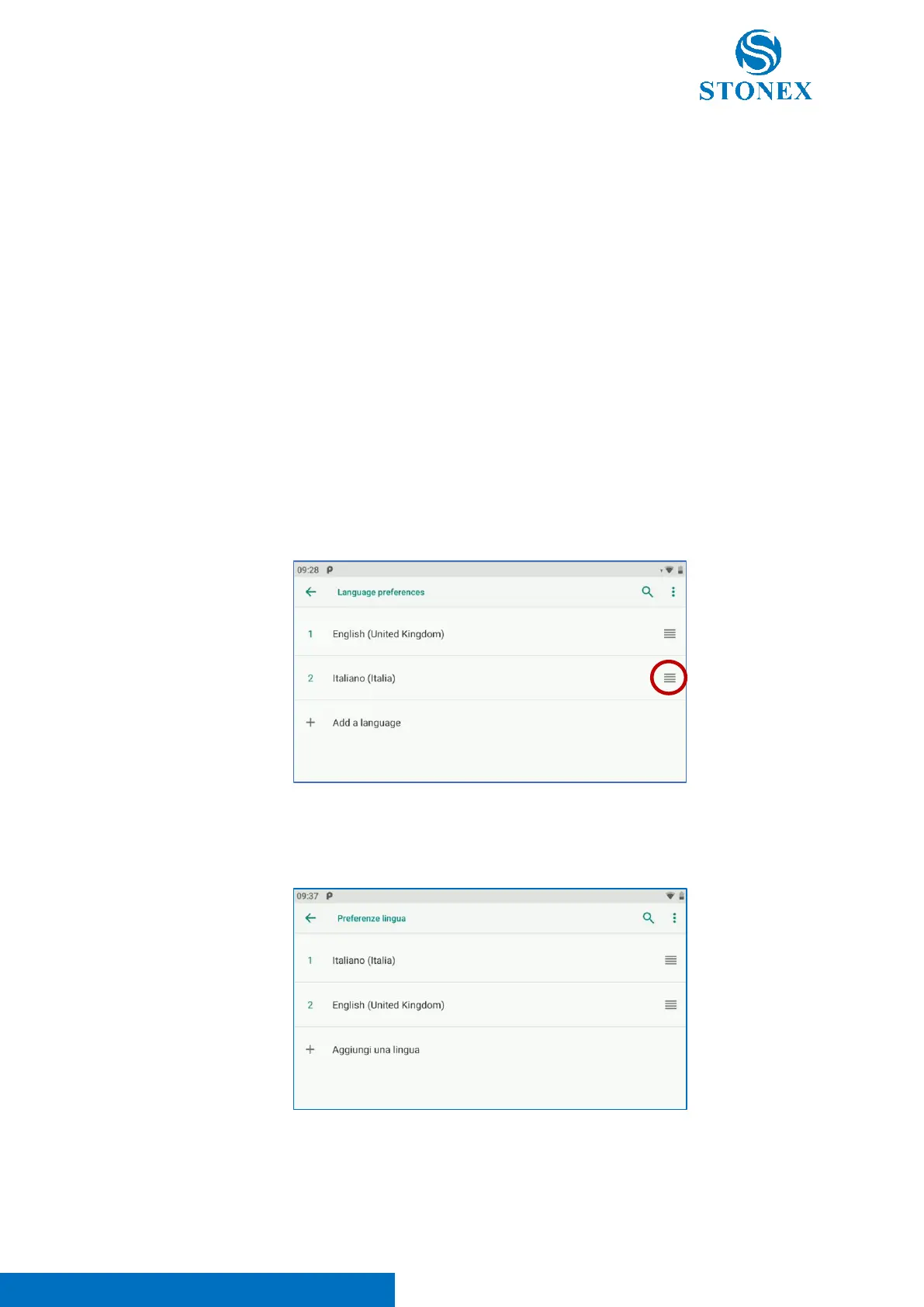
Enter in Settings application -> System -> Languages & input -> Languages.
Click on “Add a language” to set the language of the device; then drag the added language to
the top of the page, holding down the icon in the red circle.
As visible in the image above, the device language was changing in Italian simply moving Italian
language at the top of the list.



 To Next Page