EasyManua.ls Logo

Strand Lighting MX - MIDI Slave Mode Operation

Strand Lighting MX
20 pages
Print Icon
To Next Page IconTo Next Page
To Previous Page IconTo Previous Page
Loading...
Issue
2

MX
SUPPLEMENT
Slave
Mode
In
this
mode,
it
now
becomes
possible
to
link-up
2
MXs
for
the
purposes
of
increasing
channel
capacity
.
The
maximum
channel
capacity
of
MX
is
48,
should
more
channels
be
desirable,
another
MX
can
be
linked
and
setup via
the
MIDI
ports
.
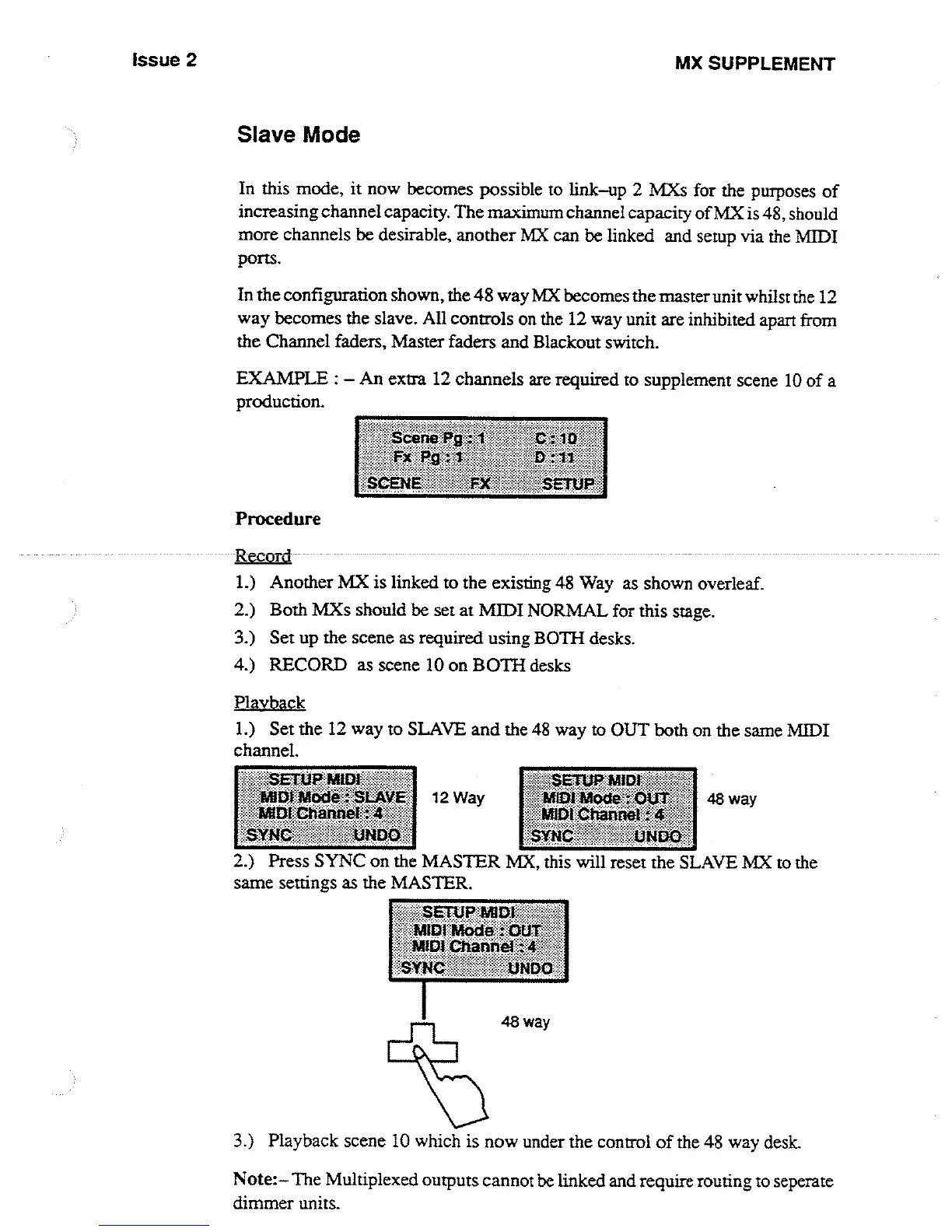
In
the
configuration
shown,
the
48
way
MX
becomes
the
master
unit
whilst
the
12
way
becomes
the
slave
.
All
controls
on
the
12
way
unit
are
inhibited
apart
from
the
Channel
faders,
Master
faders
and
Blackout
switch
.
EXAMPLE
:
-
An
extra 12
channels
are
required
to
supplement
scene
10 of
a
production
.
Procedure
1
.)
Another
MX
is
linked
to
the
existing
48
Way
as
shown
overleaf
.
2
.)
Both
MXs
should be
set
at
MIDI
NORMAL
for
this
stage
.
3
.)
Set
up
the
scene
as
required
using
BOTH
desks
.
4
.)
RECORD
as
scene
10
on
BOTH
desks
Playba
ck_
1
.)
Set
the
12
way
to
SLAVE
and
the
48
way
to
OUT
both
on
the
same
MIDI
channel
.
2
.)
Press
SYNC
on
the
MASTER
MX,
this
will
reset
the
SLAVE
MX
to
the
same
settings
as
the
MASTER
.
3
.)
Playback
scene
10
which
is
now
under
the
control
of
the
48
way
desk
.
Note
:-The
Multiplexed
outputs
cannot be
linked
and
require routing
to
seperate
dimmer
units
.

Other manuals for Strand Lighting MX

Related product manuals