EasyManua.ls Logo

Strand Lighting MX - Audio;MIDI Fader Operation

Strand Lighting MX
20 pages
Print Icon
To Next Page IconTo Next Page
To Previous Page IconTo Previous Page
Loading...
MX
SUPPLEMENT
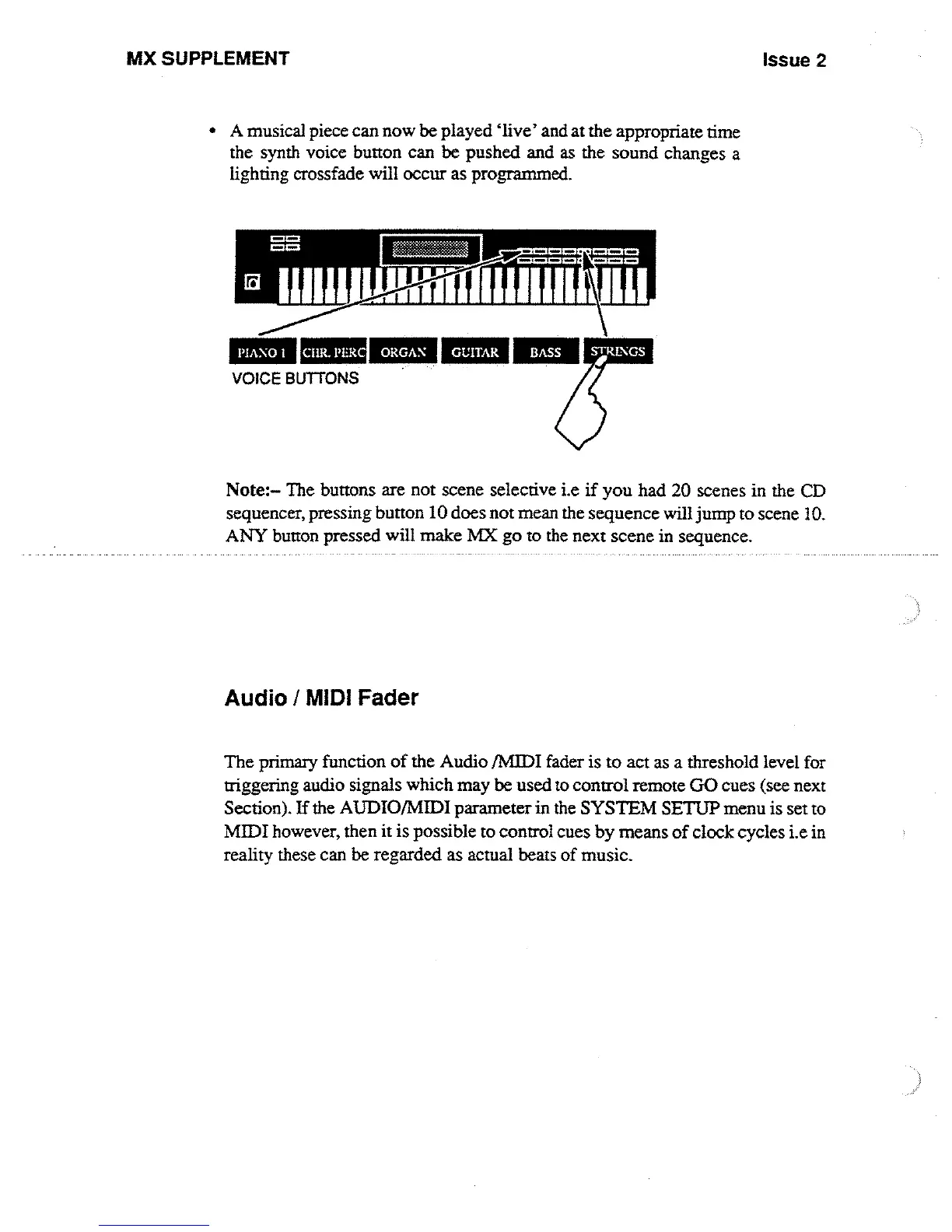
"
A
musical
piece
can
now
be played
`live'
and
at
the
appropriate
time
the synth
voice button
can
be
pushed
and
as the
sound
changes
a
lighting
crossfade
will
occur
as
programmed
.
PIANO
I
CnR
.
PERU
ORGAN
GUITAR
BASS
Issue 2
Note
:-The
buttons are
not
scene
selective
i
.e
if
you
had 20
scenes
in
the
CD
sequencer, pressing
button
10 does
not
mean
the
sequence
will
jump
to
scene
10
.
ANY
button
pressed
will
make
MX
go
to
the
next
scene
in
sequence
.
Audio
/
MIDI
Fader
The
primary
function
of
the
Audio
/Iv11DI
fader
is
to
act
as
a
threshold
level
for
triggering
audio
signals
which
may
be used
to
control
remote
GO
cues
(see
next
Section)
.
If
the
AUDIO/MIDI
parameter
in
the
SYSTEM
SETUP
menu
is
set
to
MIDI
however,
then
it
is
possible
to
control
cues
by
means
of
clock cycles
i .e
in
reality
these
can
be regarded
as
actual
beats
of
music
.

Other manuals for Strand Lighting MX

Related product manuals