EasyManua.ls Logo

Strand Lighting MX - Terminal Display Setup and Operation; Introduction to Terminal Display

Strand Lighting MX
20 pages
Print Icon
To Next Page IconTo Next Page
To Previous Page IconTo Previous Page
Loading...
MX
SUPPLEMENT

Issue 2
TERMINAL
DISPLAY
Introduction
The
facility
now
exists
to
view
the
output
levels
and
status
modes
of
MX
`at
a
glance'
either directly
via
an
ANSI
terminal
available
from
Strand
Lighting,
or
alternatively
a
Terminal
Emulator
program
is
available
for
any
PC
compatible,
running
any
level
of
DOS,
with
the
option
to
view
in
colour
.
Part
Number
for
the
terminal
and
interface
lead
04900
01
.
Part
Number
for
the
lead only
The
emulator
version
is
a
`display
only' feature
and
involves
no
input
from
the
PC
keyboard
other than
booting
up
and
exiting
.
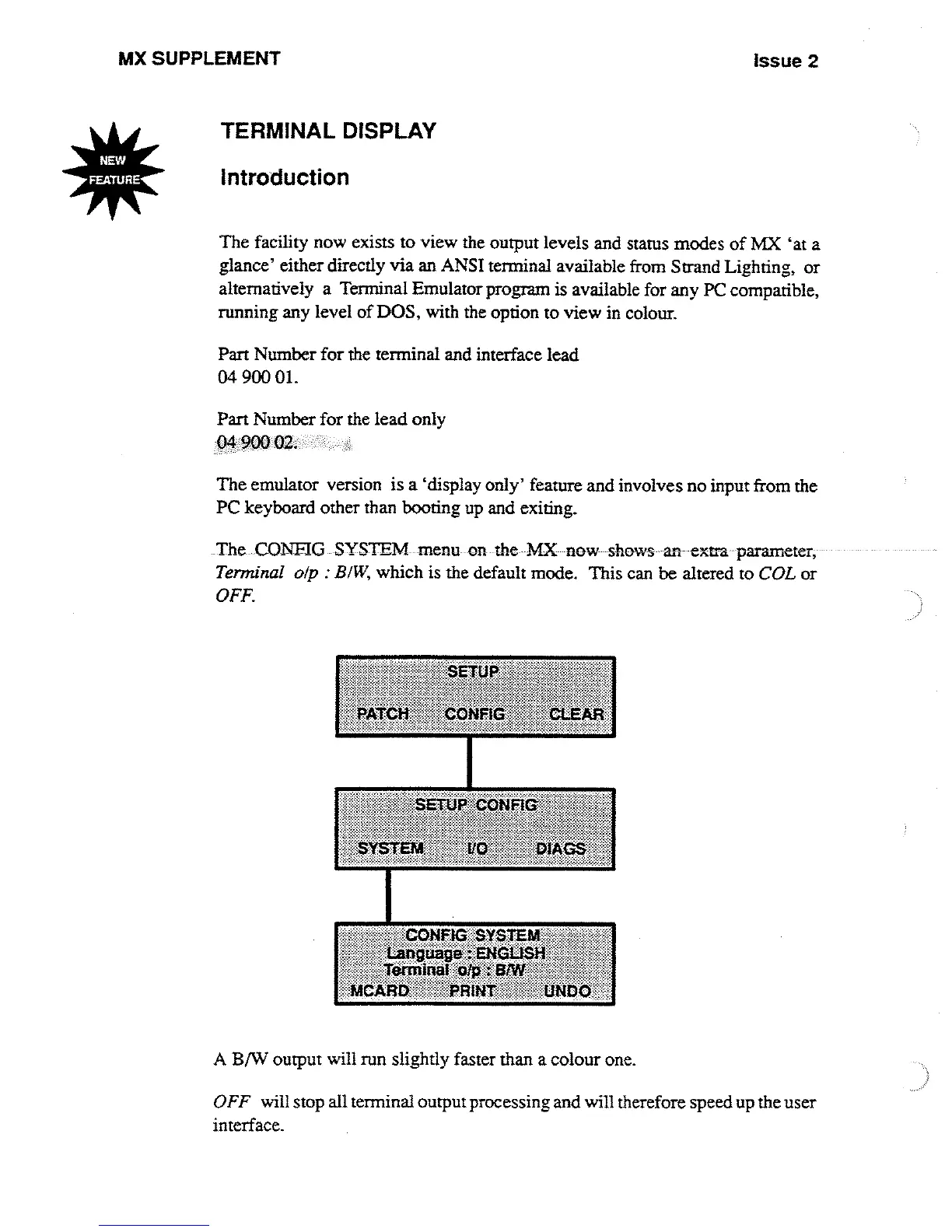
The
CONFIG
SYSTEM
menu
on-
the
MX
now
-shows
an
-extra
parameter,
Terminal
olp
:
BIW,
which
is
the
default
mode
.
This
can
be
altered
to
COL
or
OFF
.
ONFIG
SYSTEM
ang~age
.
.~N1^aL}S
Ie~iaaI
Wp
:
:61t1f1
"
PRINT
[7NDO`
A
B/W
output
will
run
slightly
faster
than
a
colour
one
.
OFF
will
stop
all
terminal
output
processing
and
will
therefore
speedup
the
user
interface
.

Other manuals for Strand Lighting MX

Related product manuals