60
2) Press EXIT to return to Diagnostic Menu.
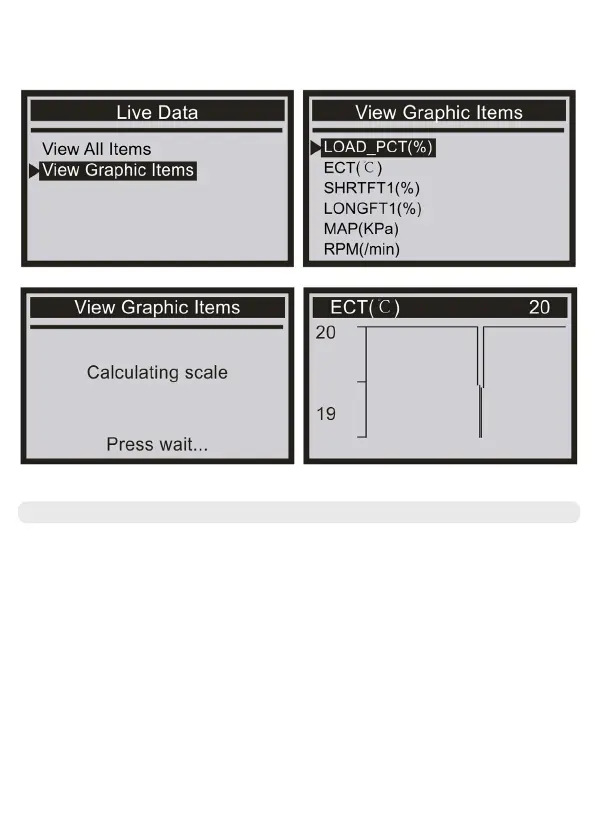
Select [View Graphic Items] from the Live Data menu and press ENTER. The screen displays the
interface shown below:
View Freeze Frame
When an emission-related fault occurs, certain vehicle conditions are recorded by the
onboard computer. This information is referred to as freeze frame data. View Freeze Data is a
snapshot of the operating conditions at the time of an emission-related fault.
● If DTCs were erased, View Freeze Data may not be stored in vehicle memory depending on
the vehicle


 To Next Page