TURNING ON THE CAMERA
Connect the power cord supplied with the camera to the AC
inlet on the rear panel (16) and ensure that it is fully inserted.
Connect the other end to a hospital grade AC receptacle.
WARNING Always use a hospital grade power cord with
this camera.
Press the power switch (1).
WARNING Test the video camera before each procedure
begins. Ensure that a video image appears on
all video monitors before beginning each
procedure.
CONNECTING VIDEO OUTPUT
Figure 3
Connect the S-VIDEO or BNC cable provided with the
camera from VIDEO OUT to the VIDEO IN on a video
monitor (Figure 3) and turn on the monitor.
NOTE When the camera head is not plugged into the
CAMERA connector (7), a color bar pattern will
appear on the video monitor.
WARNING Do not touch the internal pin of the SDI and
VIDEO OUT BNC jacks (13,22) and the patient
simultaneously.
ELECTROMAGNETIC INTERFERENCE
The camera has been designed and tested to comply with
EN 60601-1-2: 1993 requirements for electromagnetic
compatibility with other devices. If interference is experi-
enced, refer to the
Troubleshooting
section in this manual.
ATTACHING AND USING
THE COUPLER
Figure 1
If a coupler is not already attached to the camera head when
received, screw the coupler into the front of the camera
head. Turn the coupler clockwise until it stops.
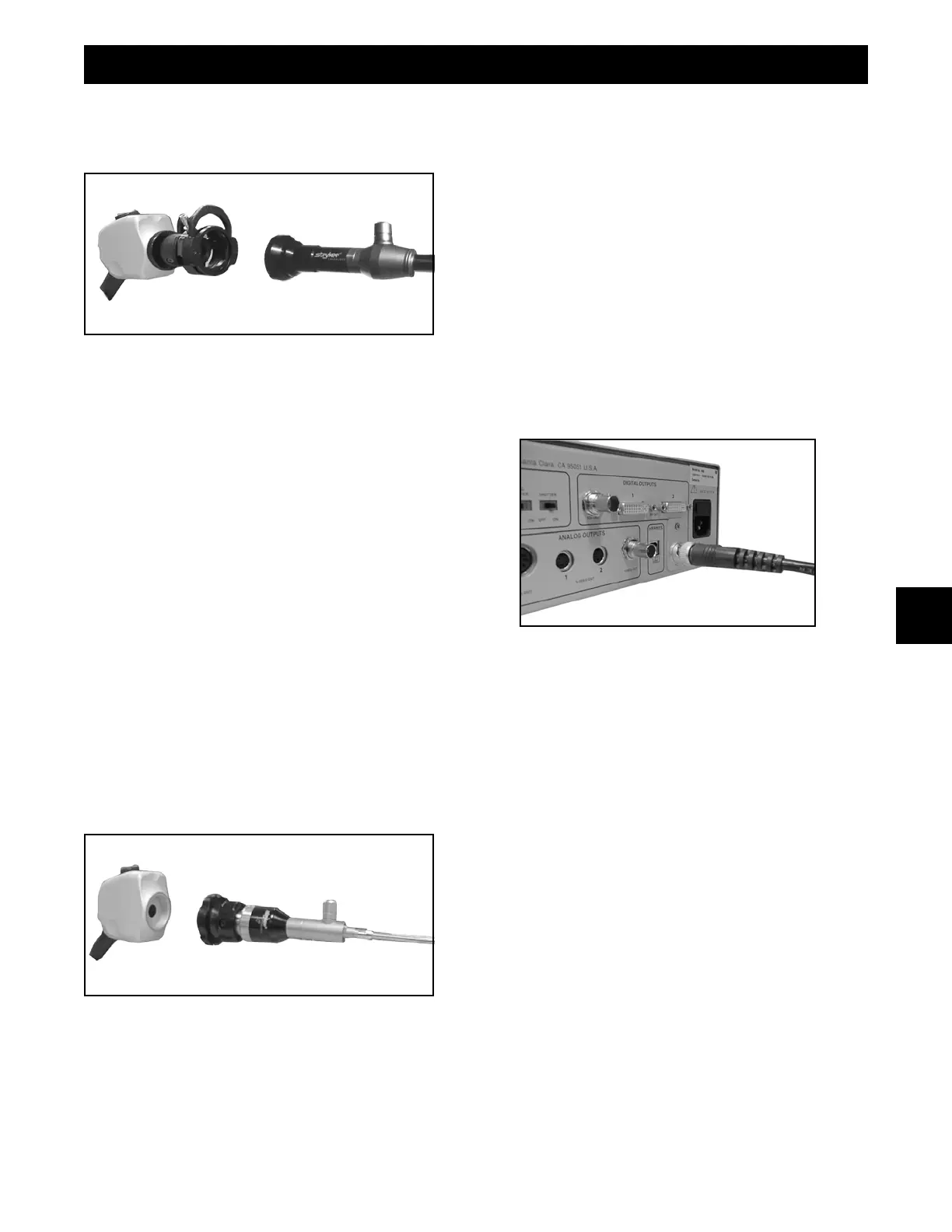
To attach an endoscope to the coupler, push down on the
eyepiece clamp (as shown above) and remove the red dust
cap if present. Push the eyepiece into the coupler and
release the eyepiece clamp. (See Figure 1).
CAUTION Always treat the camera head with care.
Dropping the camera head could cause
damage.
C-MOUNT CAMERA SYSTEM
There are two camera heads: BF and CF applied part.
While both the BF and CF camera head may be used with
the 988 control unit, The CF model (Indentified by the heart
logo) is specially designed for procedures with direct cardiac
applications
WARNING: When using more than one applied part
simultaneously, patient leakage current
may be additive. When using the 988 type
CF camera head for cardiac applications,
all other applied parts should be type CF
rated to minimize total patient leakage
current.
Figure 2
A direct-coupled endoscope may be attached to a C-mount
camera head by threading the endoscope directly into the
camera head. A coupler is not necessary in this case. (See
figure 2).
CAUTION: Do not over tighten endoscope, as this may
damage the front window of the camera.
PRODUCT DESCRIPTION & USE
3











 To Next Page