64 Introduction
Before Use
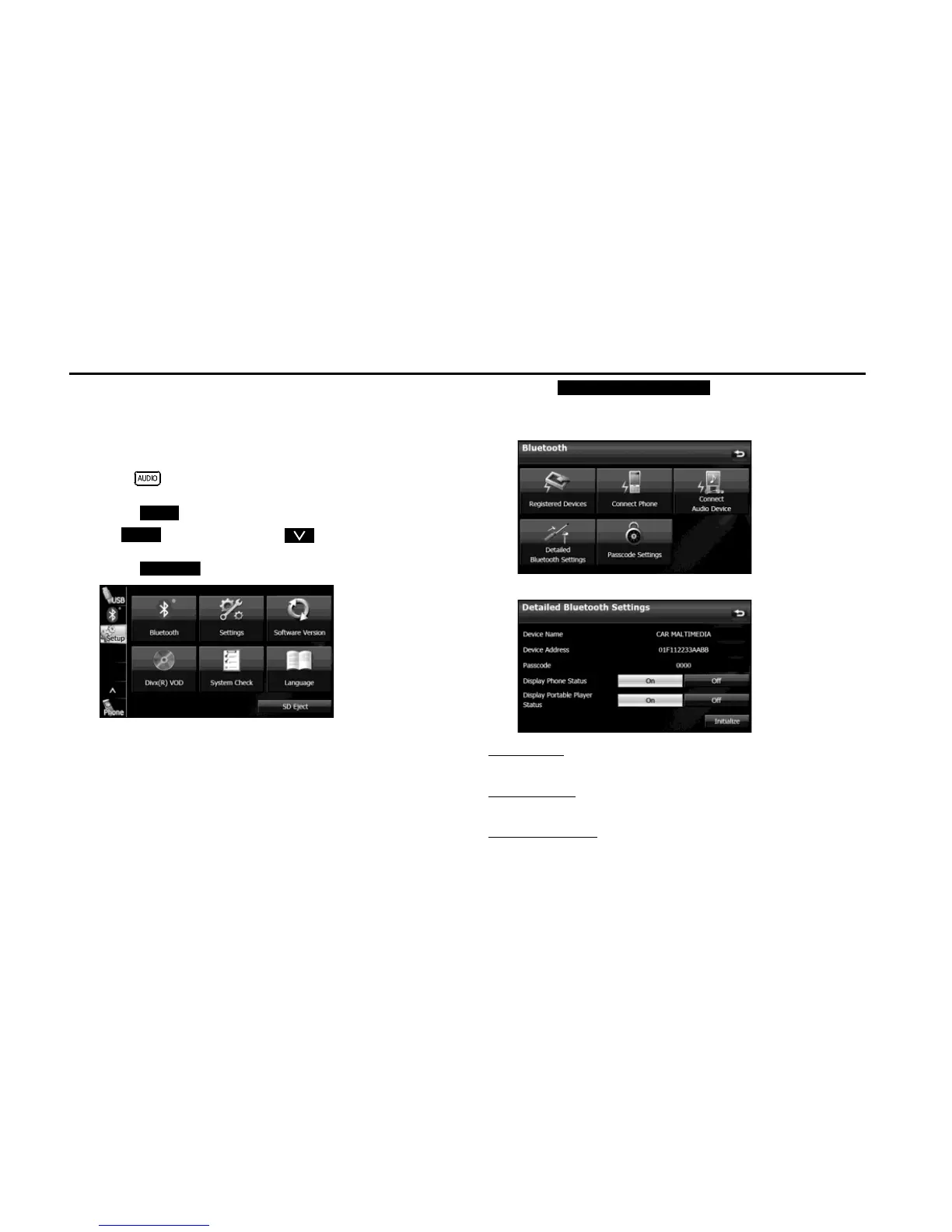
■ Displaying Detailed Bluetooth Settings for the unit
In the Detailed Bluetooth Settings screen, you can display and set
information related to Bluetooth devices that are registered on the unit.
The following information items are displayed.
1
Press .
2 Touch .
• If is not displayed, touch .
3 Touch .
4 Touch (Detailed Bluetooth
Settings).
• The Detailed Bluetooth Settings screen appears.
<Detailed Bluetooth Settings screen>
Device Name
The name of the unit within the Bluetooth network.
Device Address
The unique address of the device that is registered on the unit.
Passcode (passkey)
A number for registering the cell phone. You can change this to any
number with 4 to 8 digits. (See Page 65.)


 To Next Page
 Loading...












