Introduction 63
Before Use
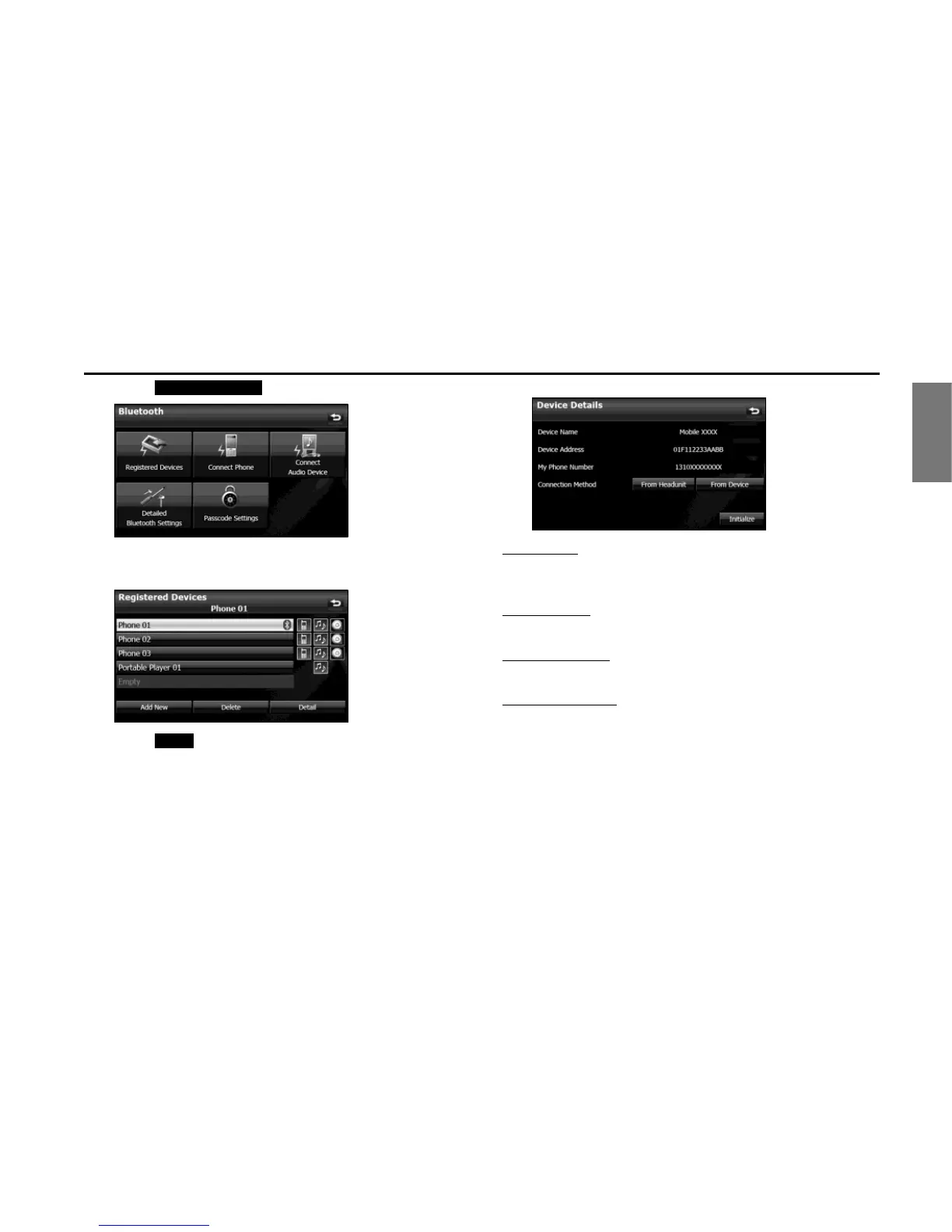
4 Touch (Registered Devices).
5 Touch the cell phone for which to display the detailed
information.
6 Touch (Detail).
• The Device Details screen appears.
<Device Details screen>
Device Name
This is the name of the cell phone that is displayed on the unit and
cannot be changed.
Device Address
This is the unique address of the device and cannot be changed.
My Phone Number
The telephone number of the cell phone.
Connection Method
You can select “From Headunit” or “From Device” as the connection
method.
Registered Devices
Detail


 To Next Page
 Loading...












