54
CCR Diving
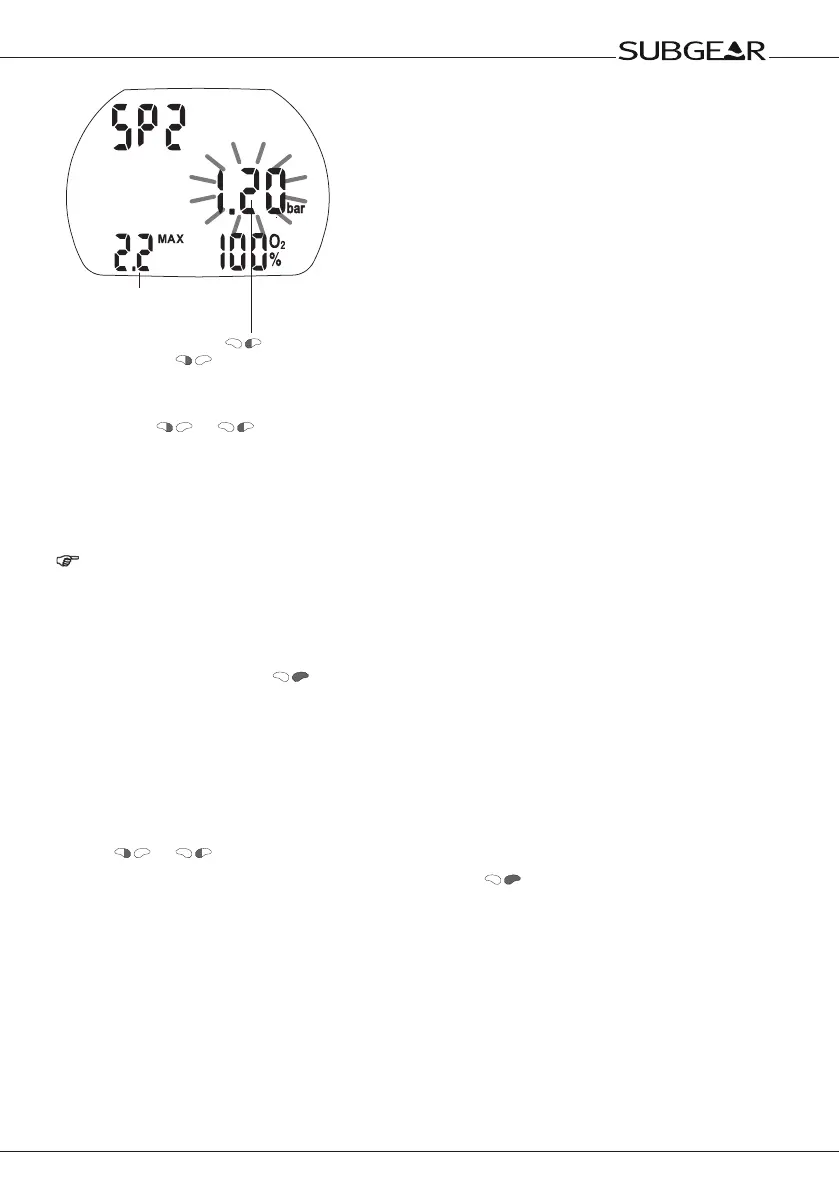
AMD (Absolute Minimum
Depth SP2, not allowed to go
shallower)
Change the ppO
2
by (+) and
(–)
Set the partial pressure (ppO
2
) of the bottom setpoint, selected at the CCR:
9. By pushing or you can change the ppO
2
in the range of 1.0 to 1.4bar. Subgear XP-3H
will now display the corresponding AMD (Absolute Minimum Depth SP2) for the new ppO
2
.
Note that the MOD SP1 and the AMD (Absolute Minimum Depth SP2) correspond to the depths at
which you plan to switch the rebreather settings from shallow water SP1 to bottom SP2 (switch
depths SP1 / SP2).
NOTE:
• Without confirmation the display will disappear after 3 minutes and your entries will not be
accepted.
• During the descent and during the ascent an audible and visual attention message will indicate
that you have reached a depth which requires a change at the CCR setpoint settings or vice
versa (setpoint 1 / setpoint 2).
• Without confirmation with the display will disappear after 3minutes and your entries will
not be accepted.
• If CCR is enabled at the SET1 in surface mode and up to a depth of 0.8m Subgear XP-3H will
display “CC” in the lower right corner of the display instead of a percentage value.
Setting the Bail-Out
To set the Bail-Out gas mixture, Subgear XP-3H must be in user mode (time of day display).
1. Push
or until the Bail-Out menu appears.
2.
Confi rm that you wish to change the oxygen fraction by pushing
.


 To Next Page