73
ENGLISH
Settings
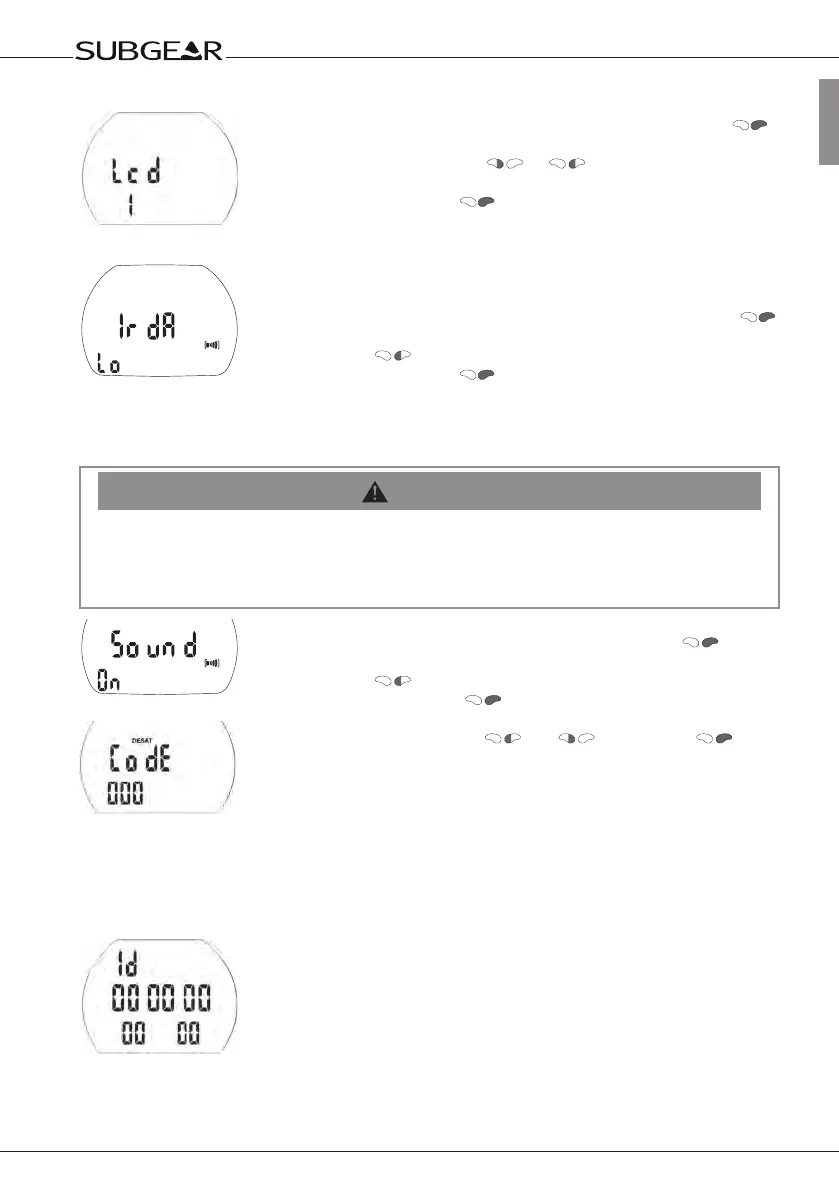
Adjusting the display contrast
1. Confirm that you wish to adjust the display contrast by pushing
.
The current setting starts to flash.
2. Set the contrast by pushing or .
Low contrast: (1), high contrast: (12)
3. Confirm the setting with .
Selecting the IrDA speed
The default setting is low. For faster downloads you can set it to high, but
not all IrDA interfaces are compatible with high.
1. Confirm that you wish to change the IrDA speed by pushing .
"Lo" (low) or "hi" (high) starts to flash.
2. Switch with between low and high.
3. Confirm the setting with .
Low: 9600bits / second High: max 57 600bits / second
Switching the sound on and off
WARNING
If you turn off the sound, the buzzer is effectively deactivated. You will have no audible warnings
(alarms and attention messages)! Without audible warning you could get into potentially
hazardous situations, which could result in death or serious injury.
You must assume full responsibility for turning off the sound.
1.
Confirm that you wish to change the setting by pushing .
"On" or
"off" starts to flash.
2. Switch with between "on" and "off".
3. Confirm the setting with . If you have selected "off", "Code" and
"000" appear.
4.
Set the first digit by pushing and
. Confirm with
.
Repeat point 4 for the next 2 digits. If you entered the right code the
sound will be turned off.
Code: 313
Setting the "sound" to "off" applies also to surface functions (mountain alarm, wake-up
alarm, change of altitude range).
Showing the hardware electronic ID of Subgear XP-3H
This number is needed when reporting problems or for other maintenance
related issues.
ID Number


 To Next Page