F Series Manual
14
2 SETTING UP MODULES / TOOLS
2.1 Introduction
2.1.1 General remarks on the calibration of the tools
There are four kinds of modules: the drag module, the tangential module, the miller module
and the rotary module. The tangential module automatically recognizes which tool is mounted.
The router module is specially made for the miller only. The rotary module has no tools; the
knife is mounted in the module itself. The drag module cannot automatically recognize whether
a pen or drag knife is mounted.
The flatbed has no control panel or screen. Everything is done with the program Axis Control.
Certain calibrations will need to be done after installing a tool. Those parameters have a double
function. Setting them correctly makes sure that the cutting quality is optimized and also
makes sure that the print and cut jobs are more precise. These calibrations can be done
automatically with ADC.
It is absolutely recommended to label the modules. Also, always put them
in the same position on the carriage. The tool parameters are automatically saved
when a tool is used. However,
tool parameters are also partly module dependent.
If the same module is always mounted at the same place, the tool parameter
dependency of the module will be nullified.
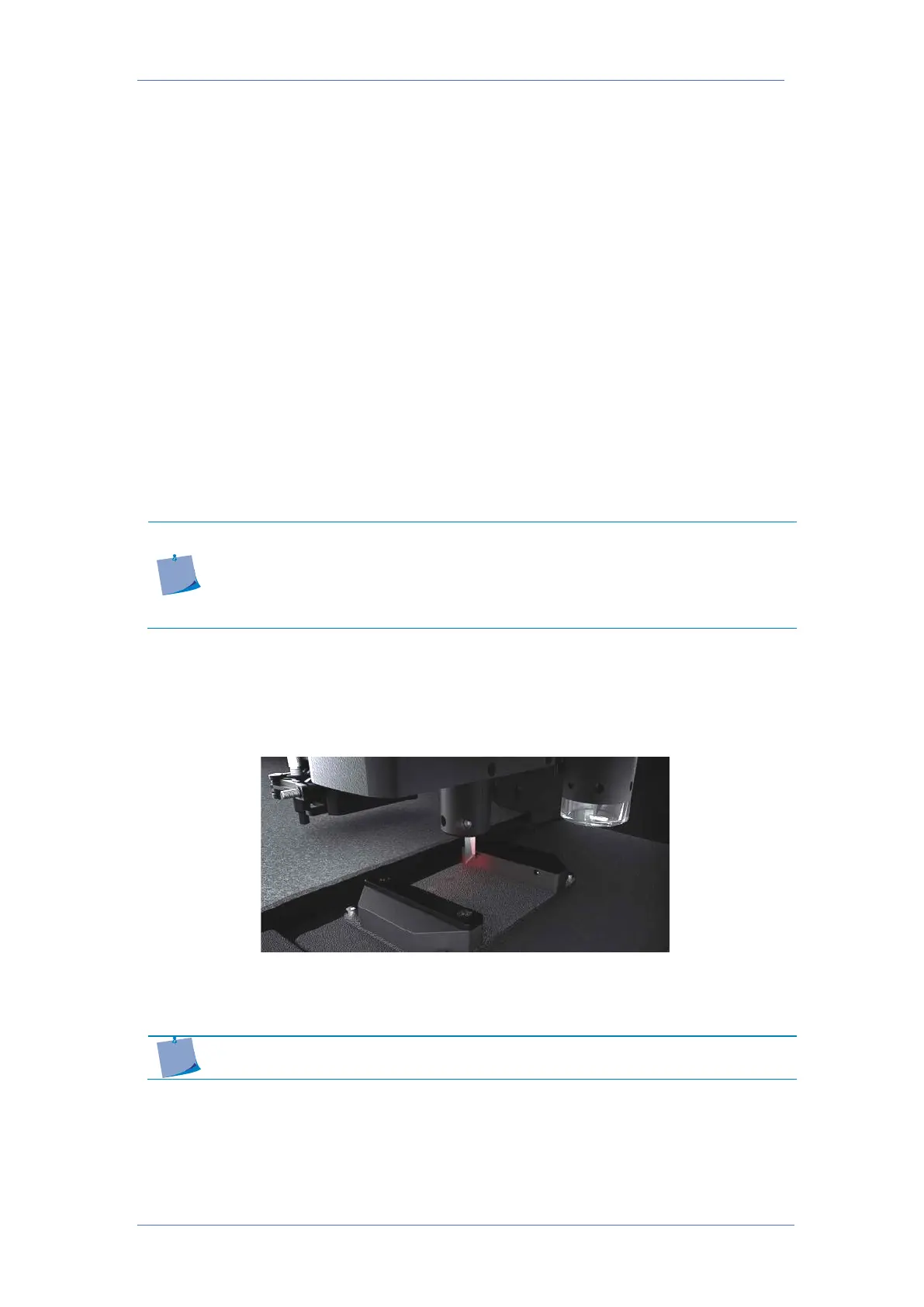
2.1.2 Automatic Depth Control
The ADC measures the tip of the knife or bit accurately and sets the down position of the tool
to the level of the table.
When starting up the table or after a tool change, the
down position of each installed knife is
measured to detect changes and avoid operator errors if the ADC is installed.
NOTE: Only the drag knife cannot be calibrated with the ADC, the rest of the
tools/knives/bits can be calibrated with the ADC.



 To Next Page