F Series Manual
10
1.2 Flatbed Components
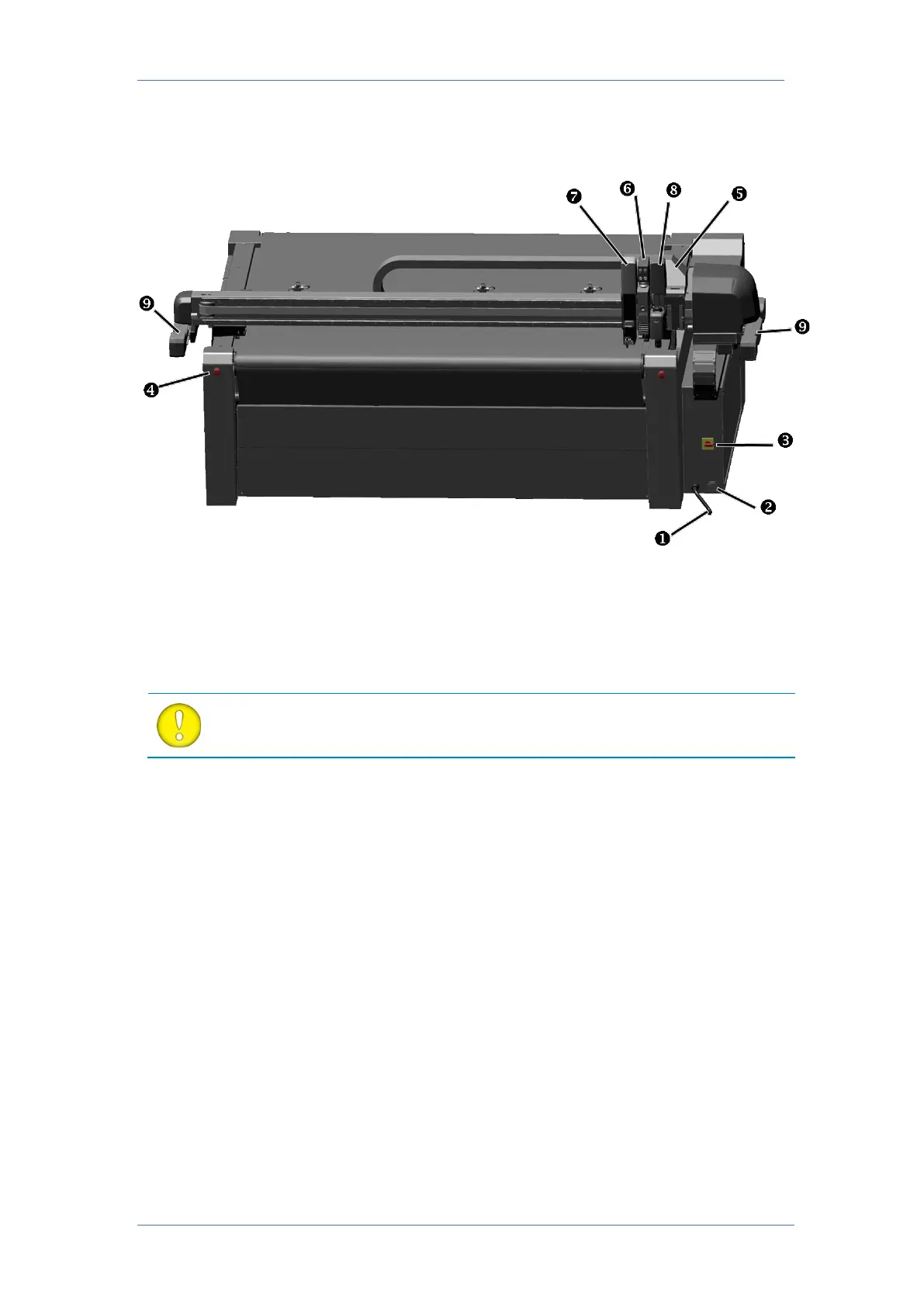
1.2.1 Front view
1. Power cable entry: The F series table cutters have no power entry plug. The power cable
has to be made on-site and it has to be connected directly inside the machine itself. The
cable will have to be guided through this entry.
2. USB connection: This interface is based on the standards, specified in the Universal Serial
Bus. A minimum of USB 2.0 is needed for the camera connection.
ATTENTION: The table cutter needs to be connected directly to a computer. The
USB cable shouldn’t be longer than 3 meters (+0.5 m) and no hubs should be
3. Power On/Off switch: This turn switch can be used to switch the flatbed on or off. There is
a hole provided, so the switch can be locked with a padlock.
4. Emergency stops: There are four emergency stops on the flatbed. If they are pressed, the
flatbed stops immediately to prevent damage to the operator and to the machine itself.
Once pressed, they stay in a safe locked position and need to be turned to the right to
unlock again.
5. Carriage for modules: The carriage can hold up to three removable modules and has a fixed
central unit.
6. Central unit: The central unit houses a positioning laser and an integrated camera system
for fast and accurate registration mark recognition.
7. Drag head module: The drag head module comes standard with the flatbed cutter. It can
be used to mount the drag knife or pen.
8. Tangential module (optional): The tangential module is used for the tangential tools.
9. Safety bumpers: These bumpers have trip switches and optical sensors to detect the
presence of the operator so the machine stops when the operator is too close.



 To Next Page