F Series Manual
21
3.1.4 Reset
Click Reset to stop the table with the current job. The origin of the loaded media is also reset.
NOTE: When the table is cutting a job from Summa GoProduce, there are more
options available then just resetting .
3.1.5 Modules
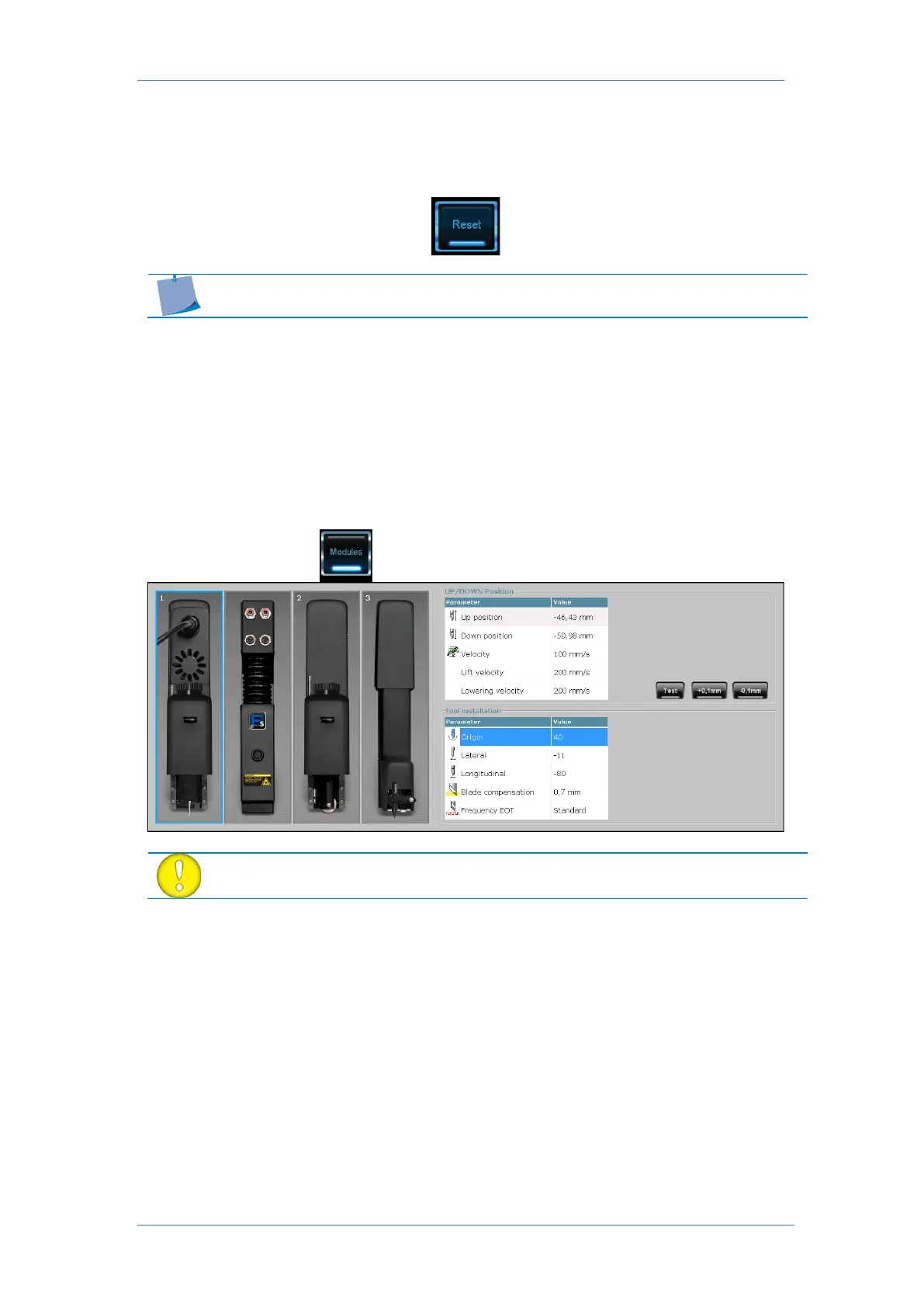
This menu is the menu to set the tool parameters. Each time a tool is changed, the parameters
need to be at least checked.
If the machine detects a new tool is installed (after change tool), it will refuse to use that tool
until it has been calibrated.
The module that is chosen to calibrate has a blue border around it. The parameter that is
currently chosen to calibrate is highlighted in blue or magnified.
The up and down head positions can also be set with the remote. It is
even advised to use the remote for this.



 To Next Page