Cyclone MKV 2 Multimedia Enclosure
Page 32.
Version 1.2
you may have to navigate through multiple folders to access the file you want
to copy / move.
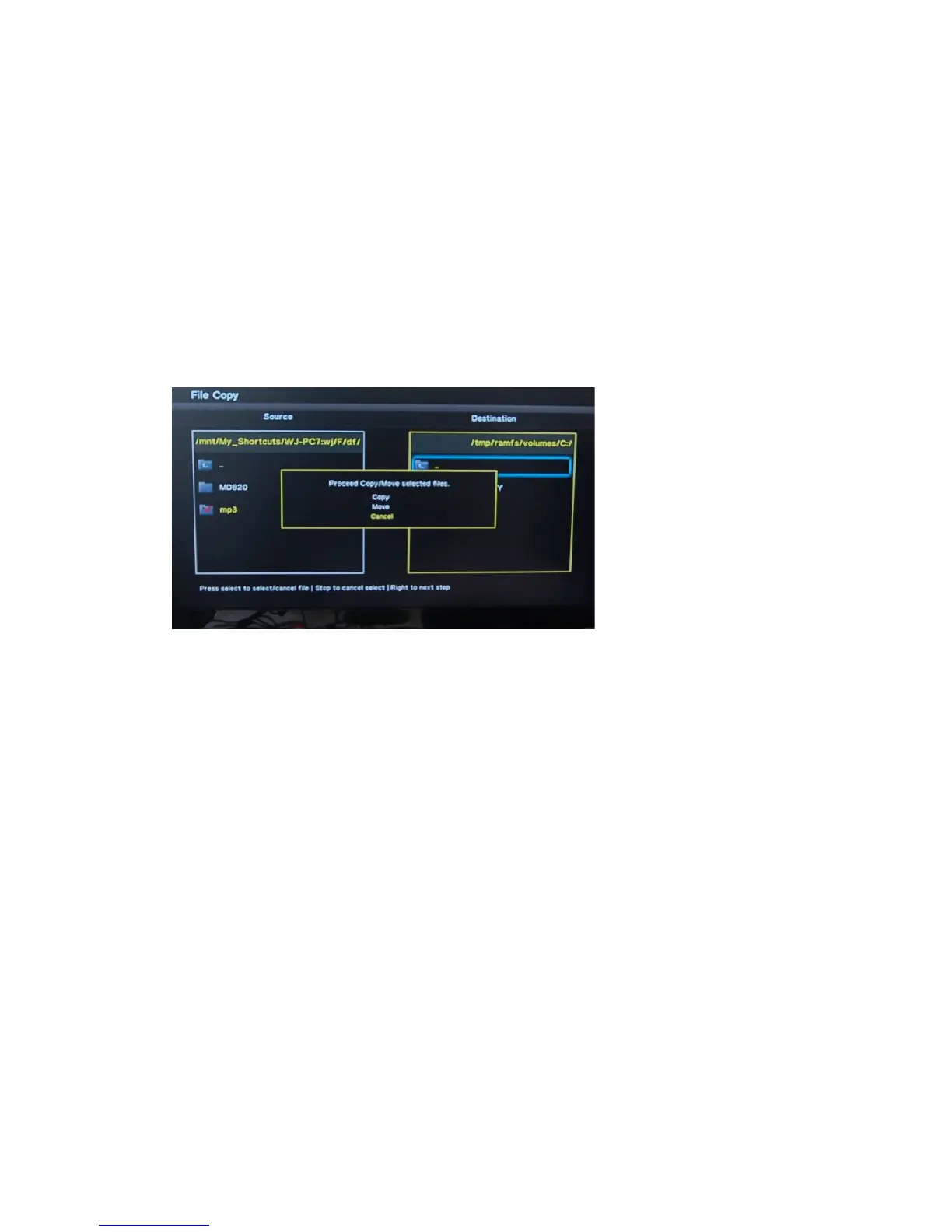
Press the SELECT button on the remote control. You will notice that a small
tick icon will now be displayed next to the file. This indicates that the file has
been selected for copying / moving.
You can also select multiple files or whole folders.
Once the files have been selected, press the RIGHT button to jump to the
Destination column. Navigate to the desired directory you wish to copy /
move the files to and press the RIGHT button. This will cause the Cyclone
MKV 2 to begin copying / moving the files over.
Please note that there are instructions at the bottom of the screen to help you.


 To Next Page