Cyclone MKV 2 Multimedia Enclosure
Page 7.
Version 1.2
Product Details:
Packaging List:
Please ensure that the following items are included in the box when opened.
If any items are missing, please contact your supplier immediately.
Media Player 1 x
Power Adapter 1 x
Remote Control 1 x
AV Cable 1 x
Support CD 1 x
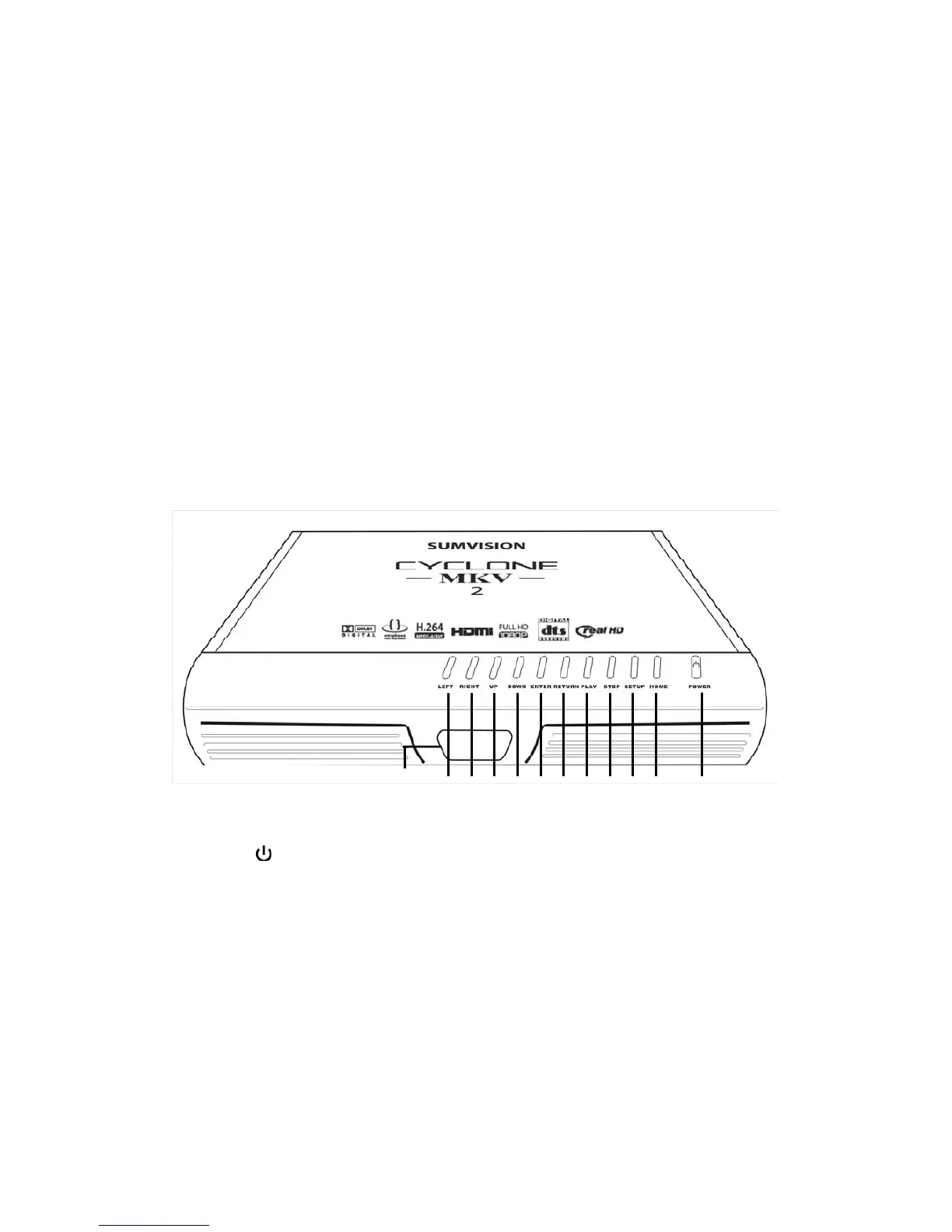
Front View:
1
Press to switch the player on or go into standby
mode. The LED will light up blue when switched
on. It will light up red when switched to standby
mode.
2 HOME Press to return to the player’s main menu.
3 SETUP Press to enter the player’s setup menu.
4 STOP Press to stop media playback.
5 PLAY Press to resume media playback.
12 11 10 9 8 7 6 5 4 3 2 1


 To Next Page