16 Sun Fire X4150 Server Product Notes • February 2010
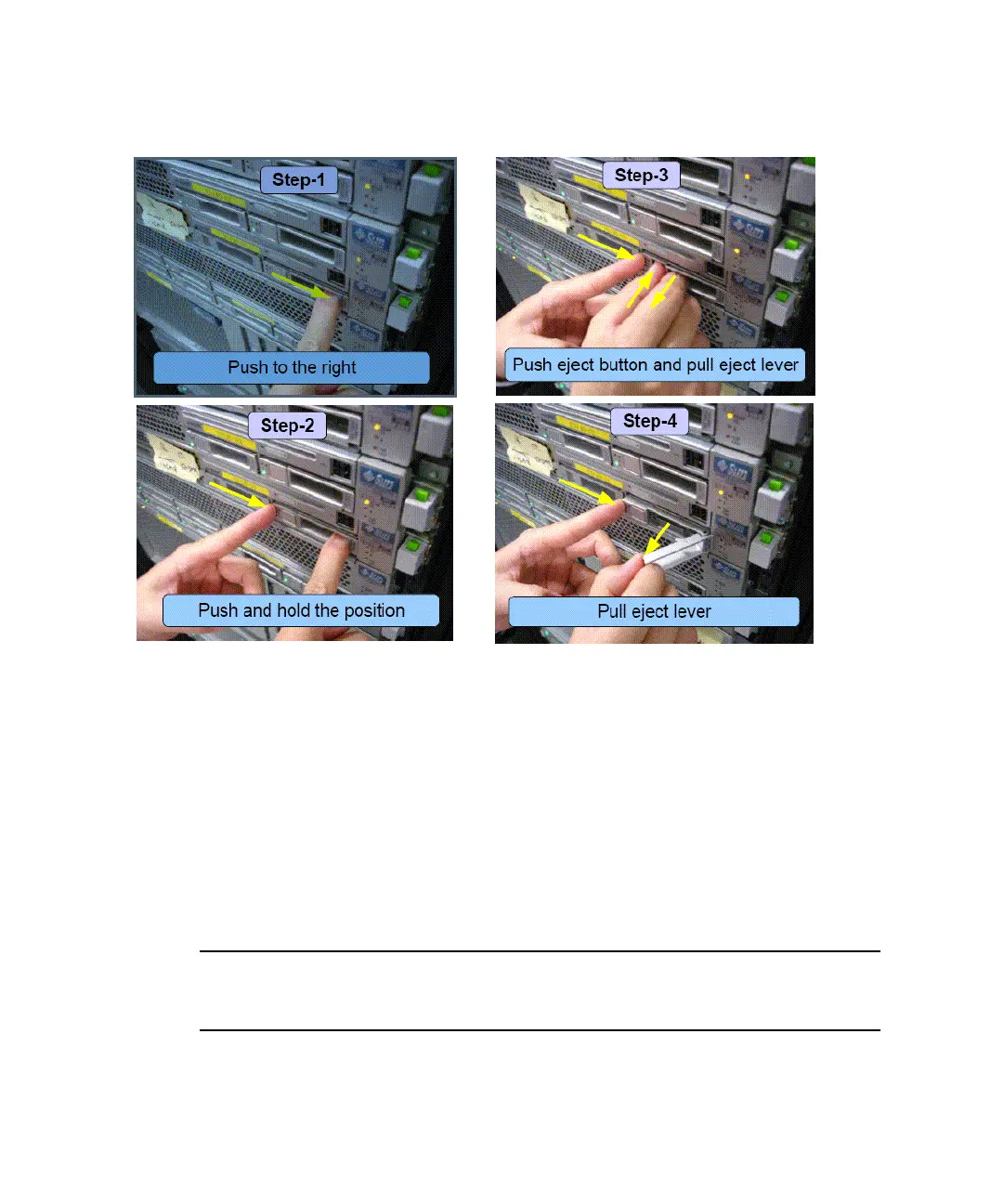
FIGURE 1 Removing Hard Drives From Right-Side Bays
32GB SSD Available for Sun Fire X4150
32GB solid state drives (SSDs) are now available for the Sun Fire X4150 server. Read
the following guidelines before installing SSDs on the server.
There are two configurations for SSDs on the Sun Fire X4150 server that are currently
supported:
■ “SSD Configuration With No SAS Drives Installed” on page 17
■ “SSD Configuration With SAS Drives Installed” on page 17
Note – Some of the procedures for cabling HDDs are documented in the Sun Fire
X4150 Server Service Manual. The service manual will be updated with more detailed
information on installing SSDs at a later date.














 To Next Page