Ordering Stationery
Two easy ways to order.
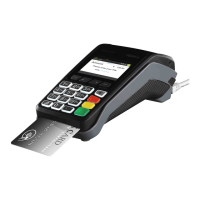
1. Through your EFTPOS Terminal.
— Press MENU button
from the Home screen.
— Type in 4 for Terminal.
— Type in 3 for Others.
— Type in 4 for Stationery Order.
— Select the number of rolls required in multiples of 10 and press Enter.
The terminal will print a receipt confirming your order has been sent.
Please note: A maximum of 30 paper rolls can be ordered per day, if the merchant attempts
to order additional rolls the screen will display “failed already ordered”.
2. Via our website
— Go to www.suncorp.com.au/banking/business/merchant-services/existing-customers/
stationery-order.
— Complete the order and click ‘submit’.
You will receive instant confirmation that your order has been received, and your stationery
will be delivered in five to seven business days.
Please note: Manual voucher stationery ordering is only available via our website.
Batch Totals
— Press the MENU button from the Home screen.
— Select 3 for Batch.
— Select 4 for Batch Totals.
The Batch Totals will be printed.
Audit and Summary Report
— Press the MENU button from the Home screen.
— Press 2 for Print.
— Press 2 for Reports.
— Press 1 for Audit.
The Audit Report will be printed.
Or
— Press 2 for Summary.
The Summary Report will be printed.


 To Next Page