5 Electrical Connection User Manual
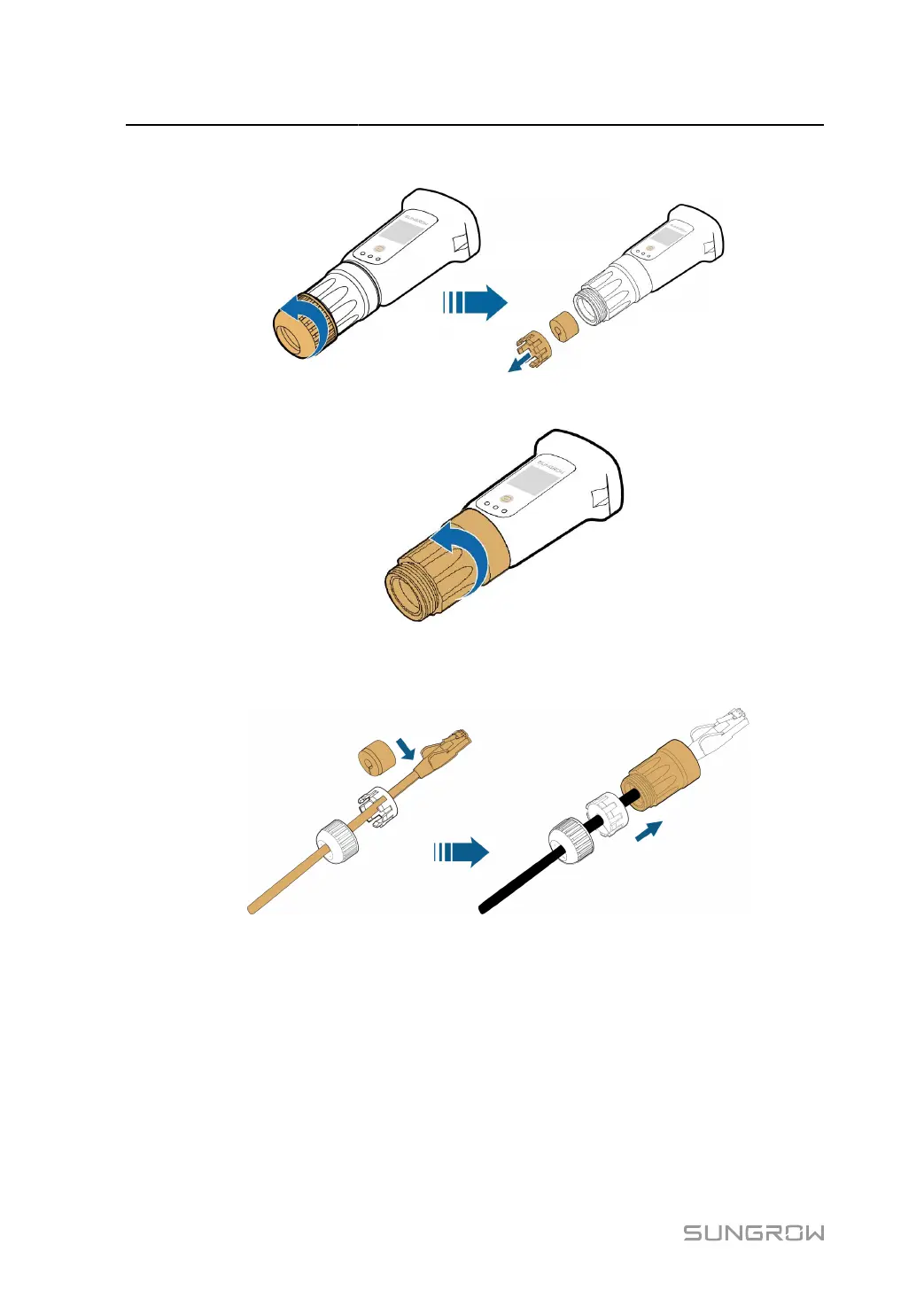
step 2 Unscrew the swivel nut from the communication module and take out the inner sealing ring.
step 3
Unscrew the housing from the communication module.
step 4
Thread the network cable through the swivel nut and gasket. Afterwards, route the cable into the
opening of the sealing. Finally, insert the cable through the housing.
step 5
Insert the RJ45 plug into the front plug connector until there is an audible click and tighten the
housing. Install the gasket and fasten the swivel nut.
66


 To Next Page