5 Electrical Connection User Manual
step 7 If other cables should be connected to the communication circuit board, skip the subsequent steps
and continue wiring. Otherwise, perform as follows.
step 8 Install the communication junction box, referring toInstall the Communication Junction Box
。
step 9
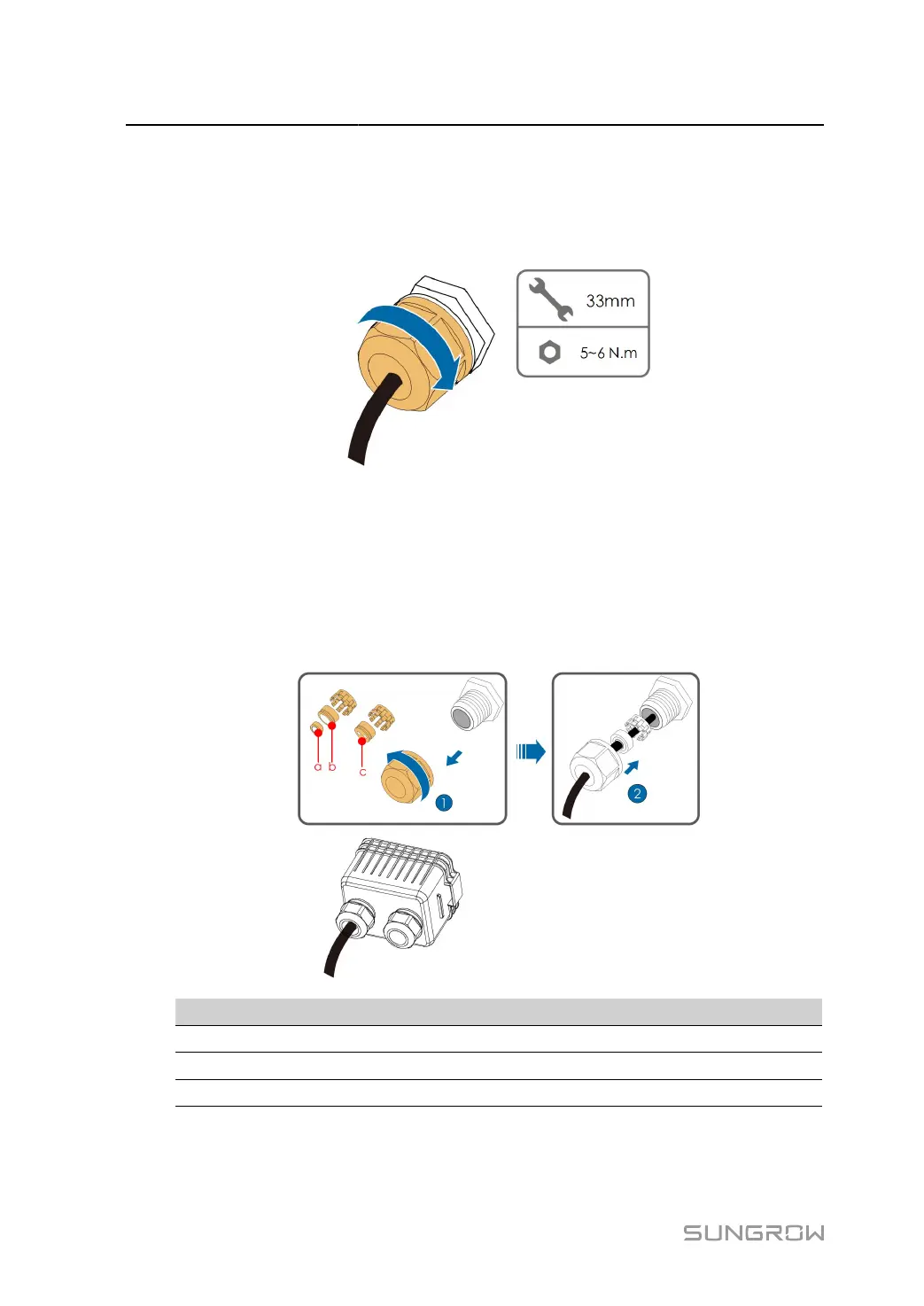
Pull slightly the cable backward and screw the swivel nut clockwise.
- - End
5.13.4 Connection Procedure (RJ45 Interface)
step 1 Remove the communication junction box, referring toRemove the Communication Junction Box.
step 2 Unscrew the swivel nut of the junction box and select the sealing ring according to the cable diam
eter. Lead the cable through the swivel nut, the sealing ring and the junction box in sequence.
Outer Diameter D(mm) Sealing Rings
4.5 ~ 6 c
6 ~ 12 a + b
12 ~ 18 b
74


 To Next Page