User Manual 5 Electrical Connection
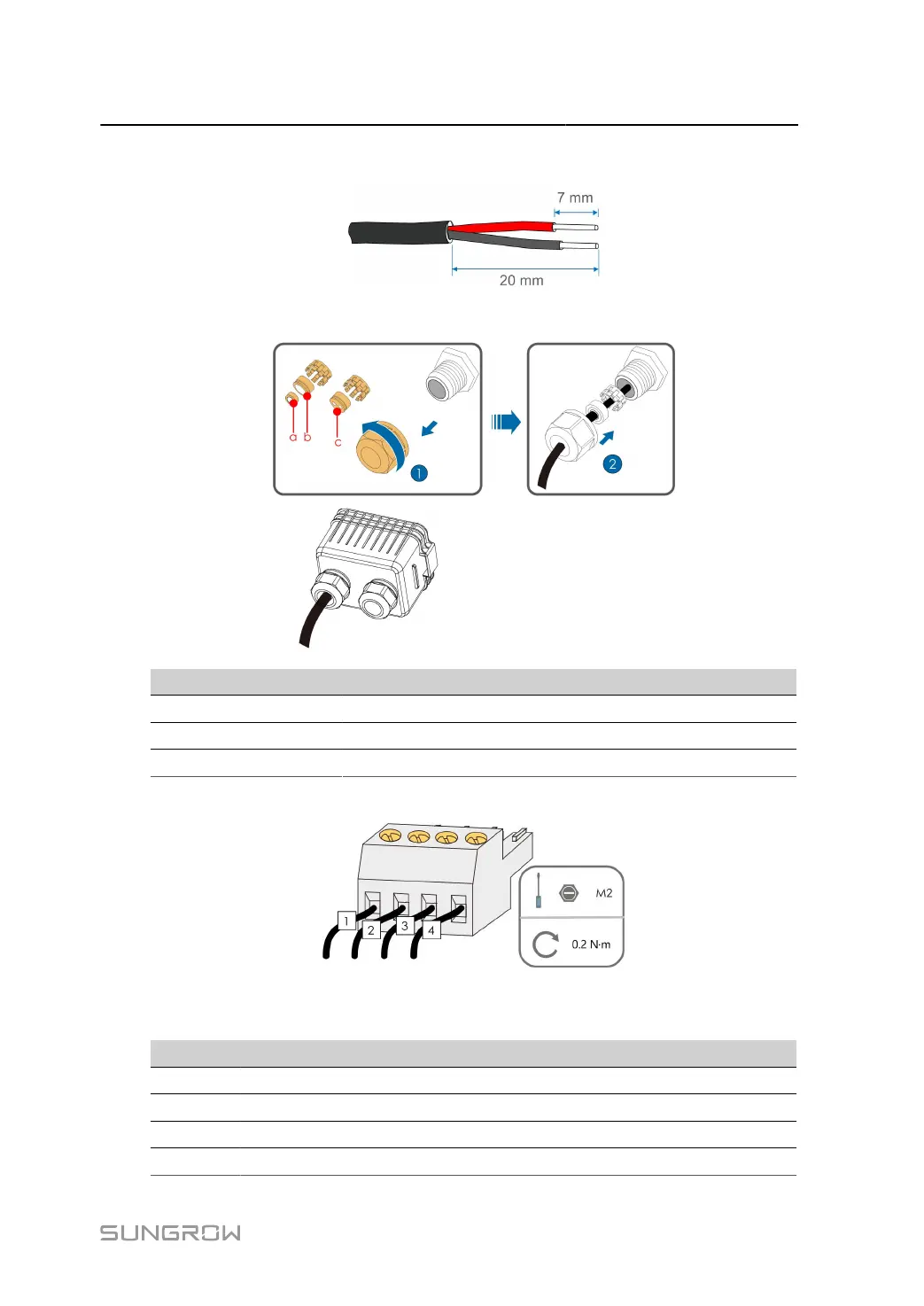
step 3 Strip off the protective layer and insulation layer of proper length.
step 4
Lead the cable through the swivel nut, the sealing ring and the junction box in sequence.
Outer Diameter D(mm) Sealing Rings
4.5 ~ 6 c
6 ~12 a + b
12 ~ 18 b
step 5
Connect cables to the terminal socket.
step 6
Insert the terminal socket into the corresponding terminal block.
table 5-7 Terminal description
No. Description
1 RS485 A+
2 RS485 A+
3 RS485 B-
4 RS485 B-
73


 To Next Page