5 Electrical Connection User Manual
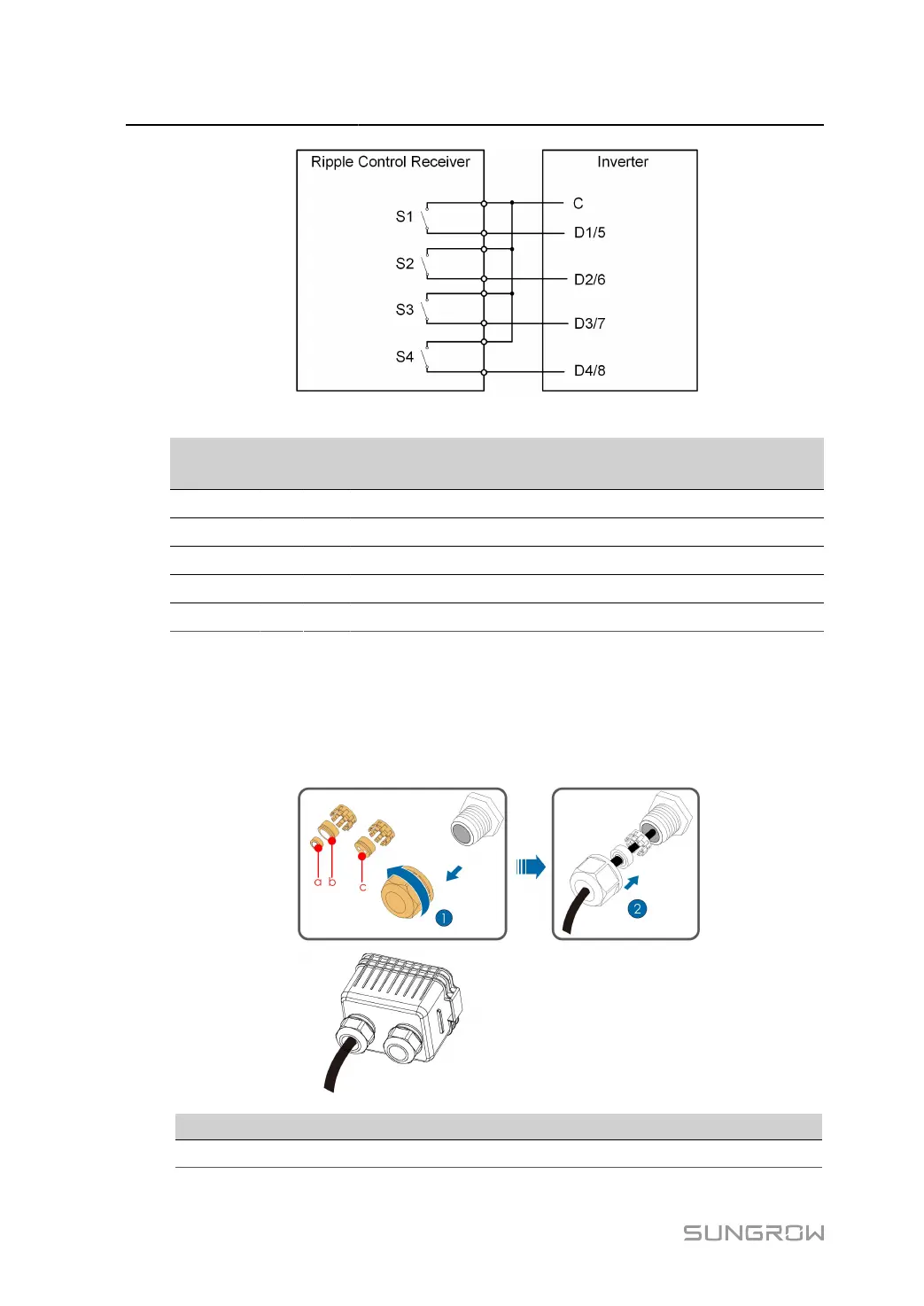
table 5-9 Method of Asserting DI Mode
S1 S2 S3 S4 Switch Operation on
External RCR
Output power (in % of the Max.
AC output power)
0 0 0 0 None 100%
1 0 0 0 Close S1 100%
0 1 0 0 Close S2 60%
0 0 1 0 Close S3 30%
1 1 0 0 Close S1 and S2 0% (disconnect from grid)
5.15.2 Connection Procedure
step 1 Remove the communication junction box, referring toRemove the Communication Junction Box.
step 2 Unscrew the swivel nut of the junction box and select the sealing ring according to the cable diam
eter. Lead the cable through the swivel nut, the sealing ring and the junction box in sequence.
Outer Diameter D(mm) Sealing Rings
4.5 ~ 6 c
80


 To Next Page