User Manual 5 Electrical Connection
step 6
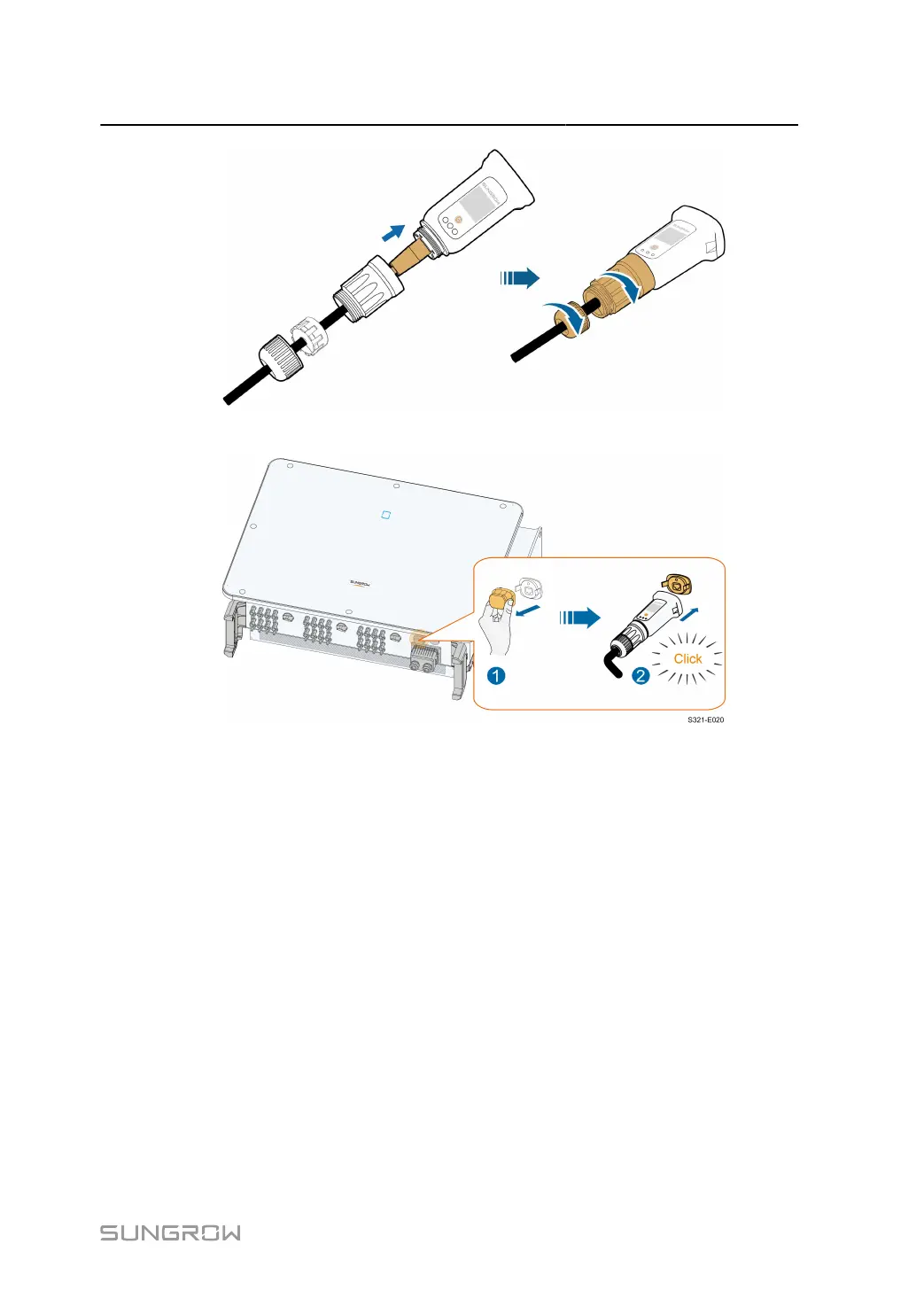
Remove the waterproof lid from the COM1 terminal and install WiNet-S.
step 7 Slightly shake it by hand to determine whether it is installed firmly.
- - End
5.10.2 WLAN Communication
step 1 Remove the waterproof lid from the COM1 terminal.
step 2 Install the module. Slightly shake it by hand to determine whether it is installed firmly, as shown
below.
67


 To Next Page