7 iSolarCloud App User Manual
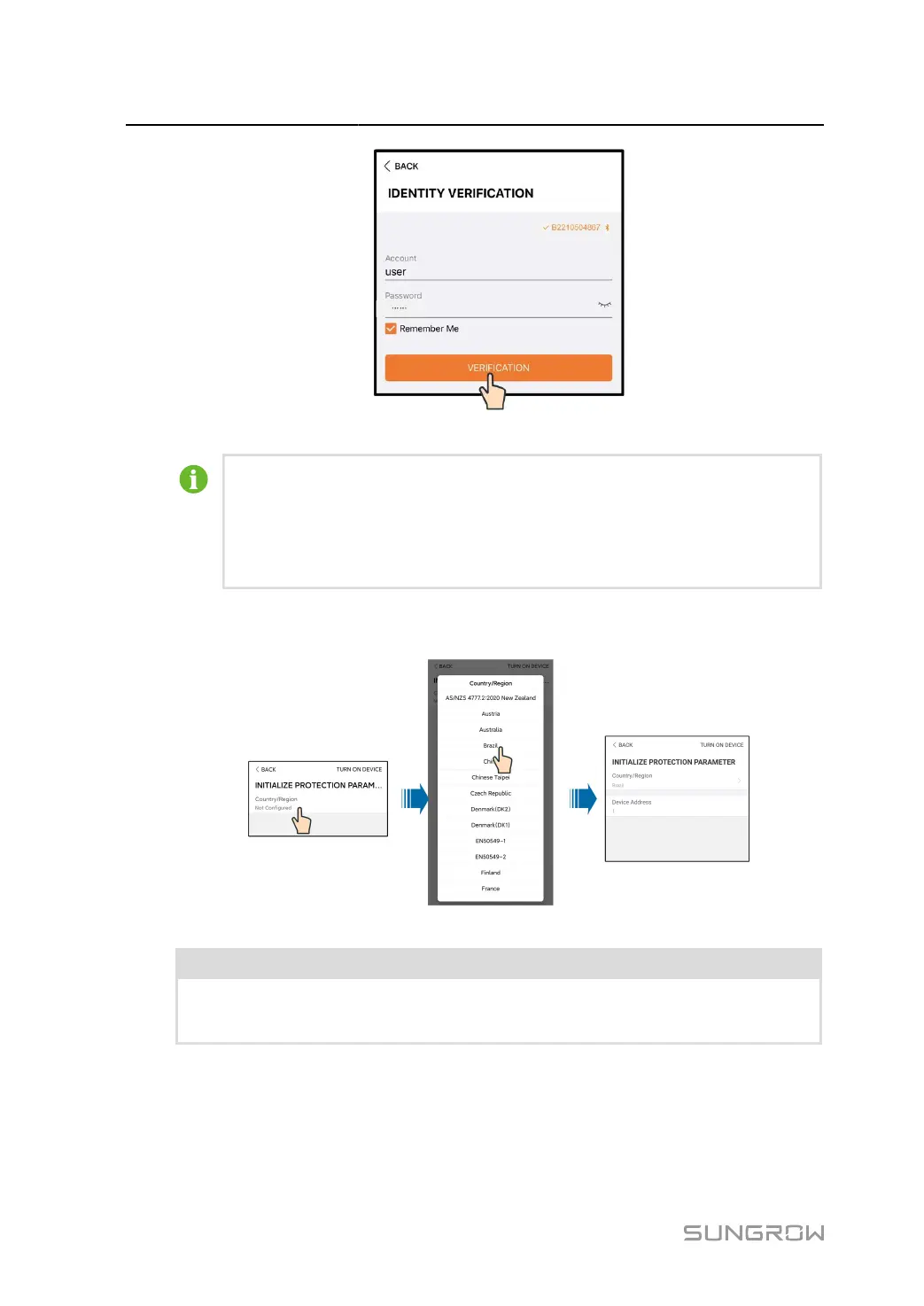
figure 7-2 Login
The Account is
“user”,and
the initial password is "pw1111" or "111111" which should be
changed for the consideration of account security.
To set inverter parameters related to grid protection and grid support, contact your dis
tributor to obtain the advanced account and corresponding password. If the distributor
is unable to provide the required information, contact SUNGROW.
step 4
If the inverter is not initialized, you will enter the quick setting interface of initializing protection
parameter.
figure 7-3 Initialization Protection Parameter
NOTICE
The Country/Region must be set to the country where the inverter is installed. Otherwise,
the inverter may report errors.
step 5
When the country is set to Australia, additionally set the applicable network service provider and
then the grid type. Tap Power Company to select the correct power company.
88


 To Next Page