Website: www.sunsynk.com E-mail: sales@globaltech-china.com 28
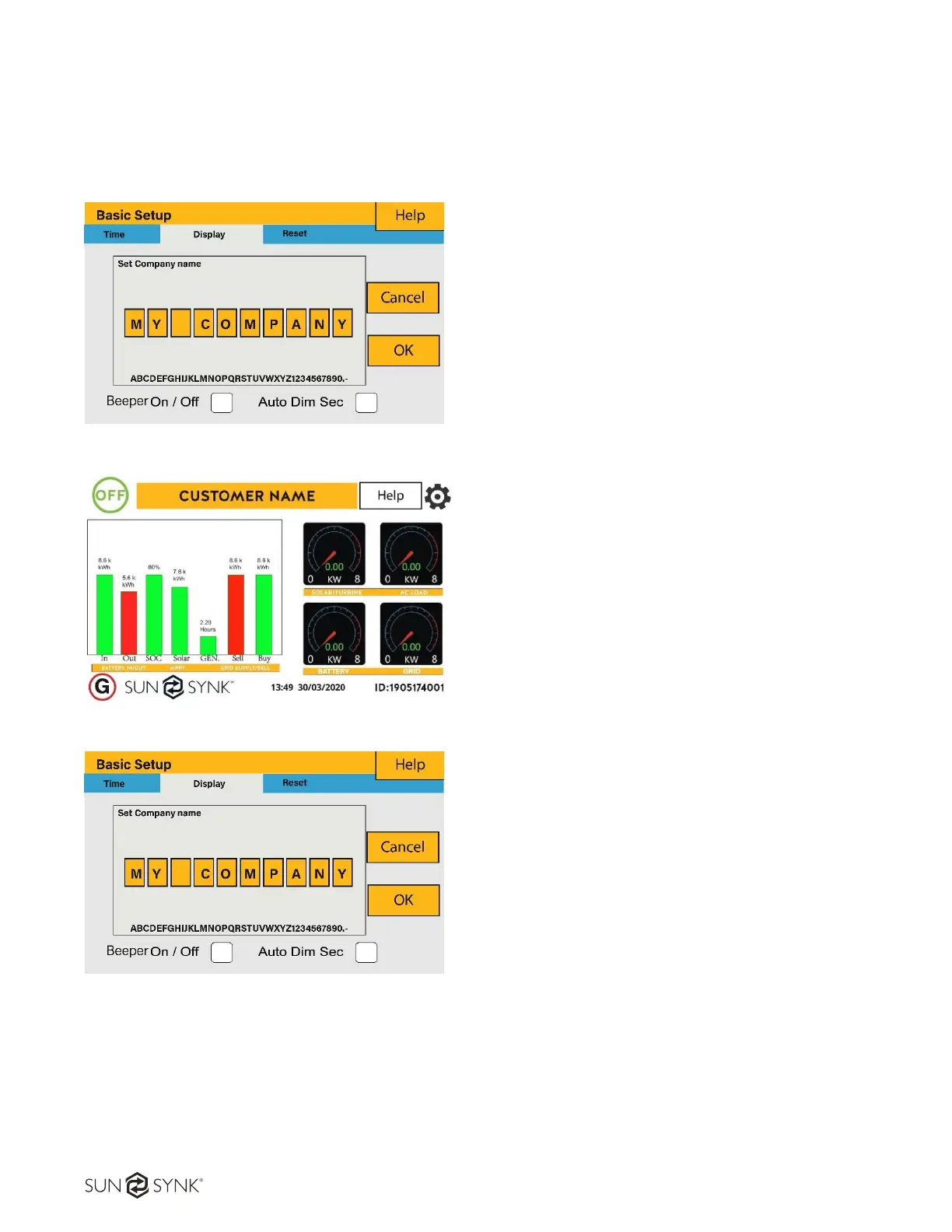
4.8. Set Company Name / Beeper / Auto dim
To set company name click on the “Basic“ icon and then on “Display”.
How to change the company name:
Change the letters in each box by moving the
arrows up and down and then select ok. This will
change the name on the home screen.
How set the auto dim
Set a number in the auto dim box to dim the LEO
after a number of seconds.
How to activate / deactivate the beep:
Mark or unmark the beep box and the press OK to
configure it as you prefer.
What this page displays:
Beeper status (ON/OFF).
Installers names.
What you can do from this page:
Set up your company name.
Switch the beeper ON or OFF.
Set the LCD backlight to auto dim.





 To Next Page