Page | 35
5.7. Set Time (Clock)
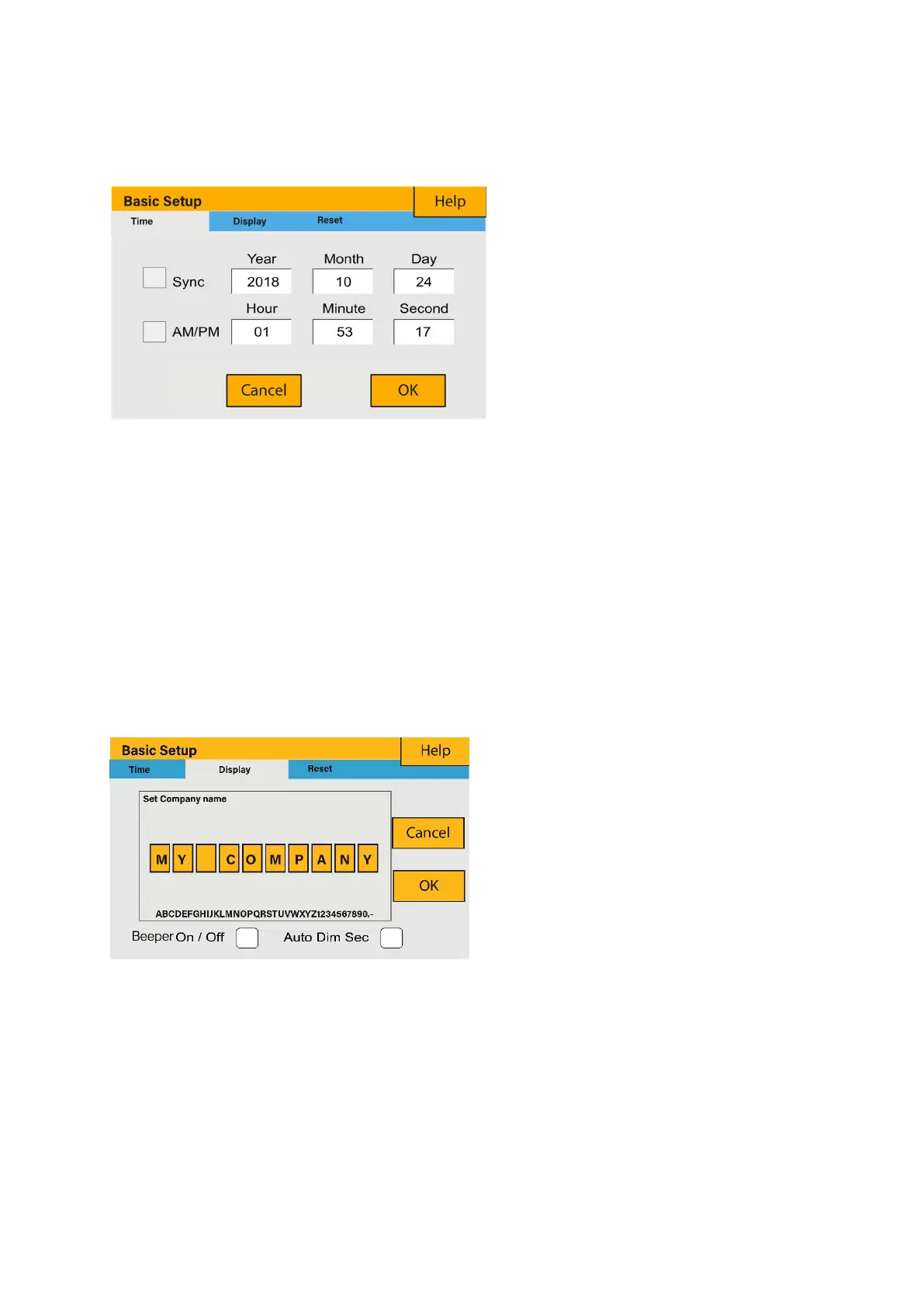
To set time, click on the BASIC icon and then on ‘Time’.
How to set up (step-by-step):
1.
Touch the screen on the box you wish to change.
2.
Change the number (increase/decrease) using the UP and DOWN buttons.
3.
Press OK to set the changes.
5.8. Set Company Name / Beeper / Auto dim
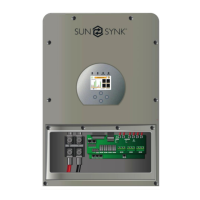
To set company name click on the BASIC icon and then on ‘Display’.
What this page displays:
Time.
Date.
AM/PM.
What you can do from this page:
Adjust / set time.
Adjust / set date.
Adjust / set AM/PM.
What this page displays:
Beeper status (ON/OFF).
Installers names.
What you can do from this page:
Set up your company name.
Switch the beeper ON or OFF.
Set the LCD backlight to auto dim.








 To Next Page