Commissioning
34 NT 10000...NT 12000
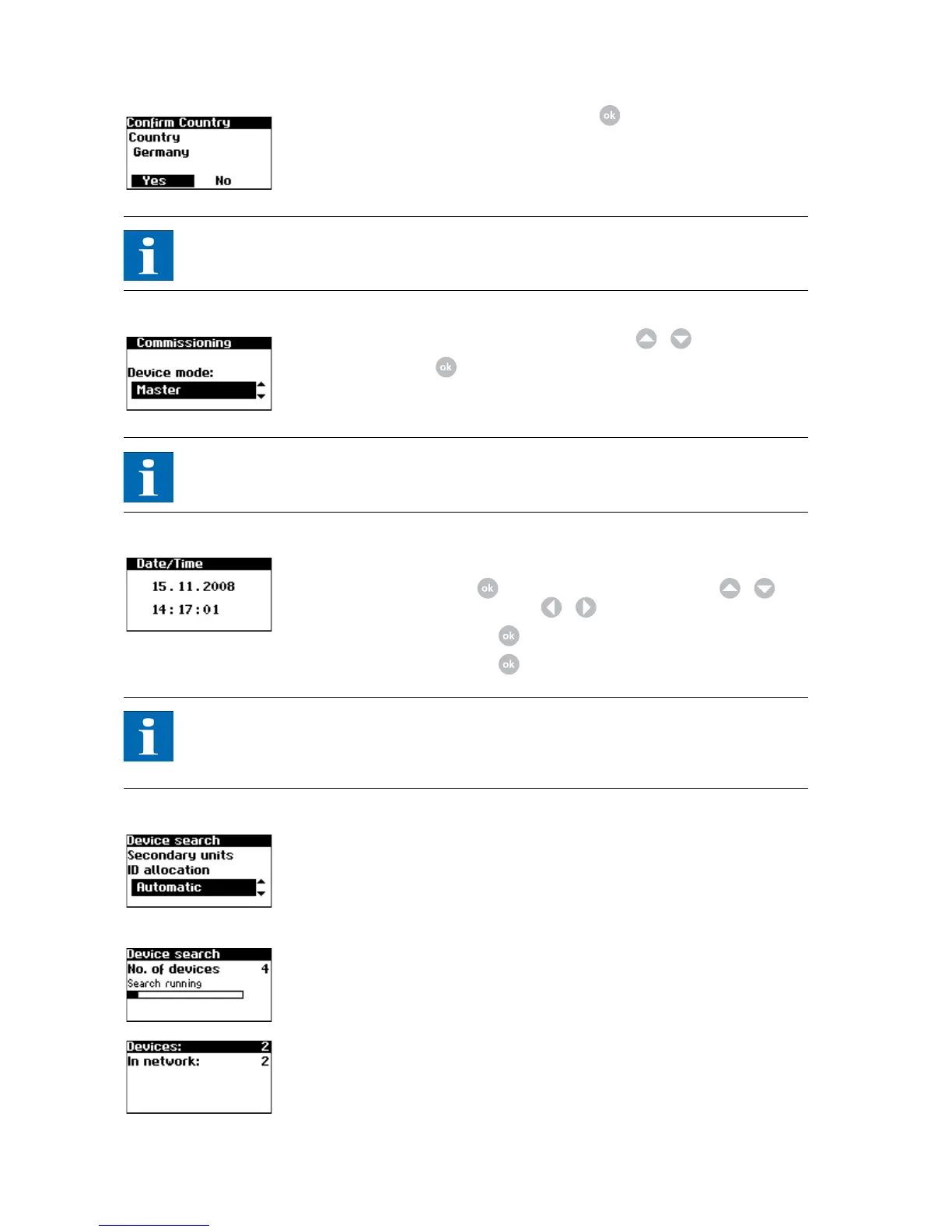
3. Confirm the country of installation with .
NOTE
The Solar Inverter only starts feeding current into the grid once the country has
been selected.
4. Select "Main unit" in the selection menu with / .
Confirm with .
NOTE
The other units in the CAN network are automatically configured as secondary
units.
5. Set the date and time centrally for all connected units.
Select the time with . Change the selected number with / and
jump to the next number with / .
Apply the set time with and set the date accordingly.
Apply the set date with .
NOTE
Please note that time settings should only be made with caution, as they directly
affect data logging. For example, if you set the time back by 1 hour, then the
existing data will be overwritten.
6. Device search at the main unit.
The IDs for the secondary units can be allocated automatically or manually.
When manual ID allocation is selected the ID must be requested at the se-
condary unit. With automatic ID allocation this step is not required, since
the device IDs are assigned automatically.
The following display appears during the device search:
Units = total number of units found in the CAN network
In network = number of configured units
After the main unit has found all connected secondary unit, these must be
configured before commissioning of the main unit is continued.



 To Next Page