Commissioning
NT 10000...NT 12000 35
Confirm with .
NOTE
Depending on the side of the network, it may take a moment until the main
unit has found all secondary units and added them to the list.
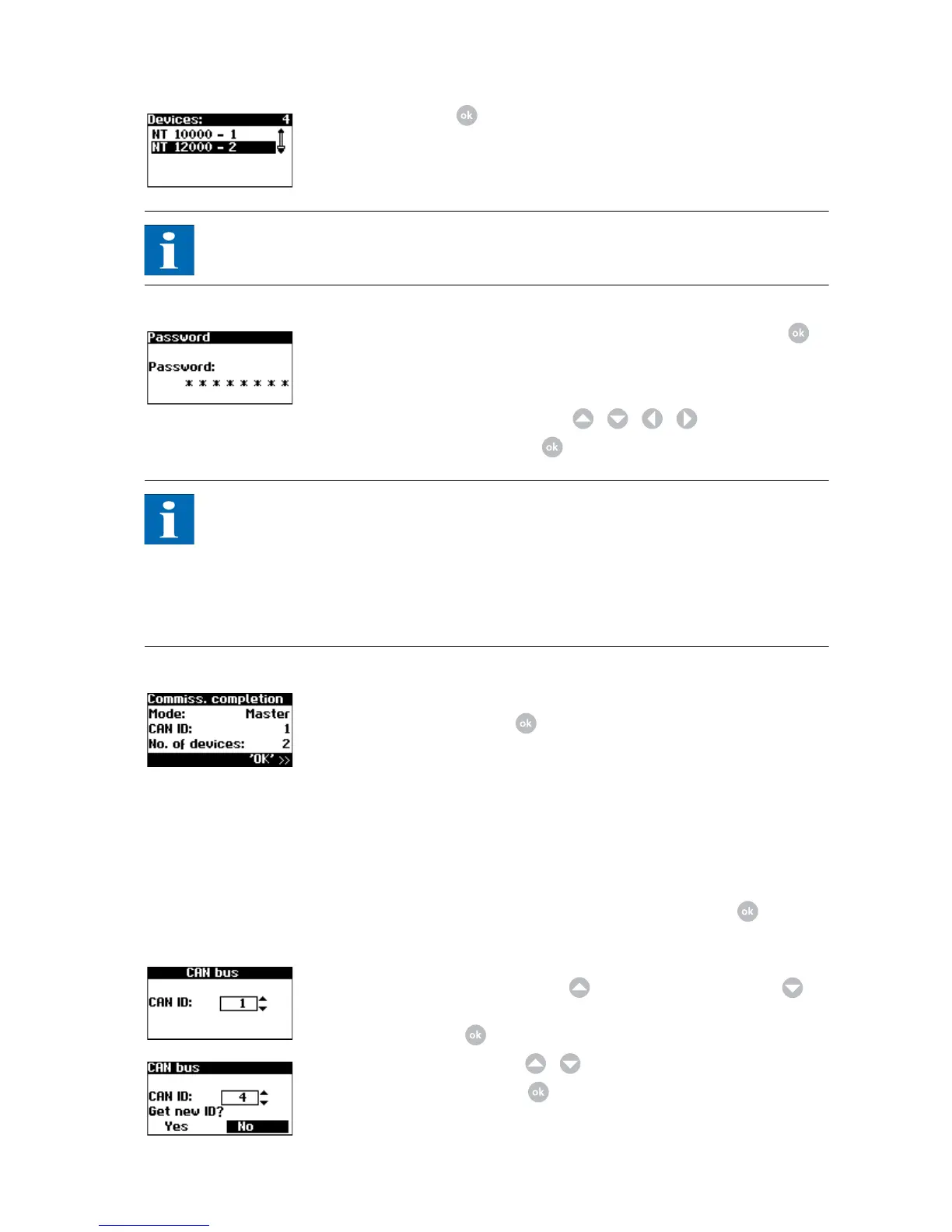
7. Set password centrally for all connected units. Select Password with .
Default password is:
********
A new password can be set with / / / as an option.
Confirm the password with .
NOTE
Please note:
Only digits between 0 – 9 and letters between a – z and A – Z are permitted.
The password always has 8 characters. If the password you entered has less than
8 characters, the remaining characters are filled with *.
Example:
Your password is "Solar". This password has 5 characters. The system automati-
cally appends three *, so that the password becomes "Solar***".
8. Completion of commissioning
Confirm overview with .
Commissioning secondary
units
The procedure for commissioning secondary units depends on the type of device
search. Once a main unit has been defined and manual ID allocation was selec-
ted (e.g. for systems with AT and PT), each secondary unit automatically displays
a CAN ID request.
If automatic ID allocation was selected on the main unit, this step is skipped. In
this case completion of commissioning must be confirmed with at each se-
condary unit.
1. For manual device search only: Request CAN ID. Request the next higher
free ID from the main unit with or the next lower free ID with .
The main unit assigns a free ID to the secondary unit. Confirm the ID within
5 seconds with .
Request further IDs with / .
Confirm the CAN ID with within 5 seconds.



 To Next Page